
Ultimate YouTube Studio Buyer’s Guide

Table of Contents
 Why Trust Our Recommendations?
Editor-in-Chief David Schloss and the Imaging Resource team
Why Trust Our Recommendations?
I posted my first video on YouTube in 2011 and have been running a YouTube channel since 2022. I run both the Imaging Resource channel and my own (@davetriesthis). Most of the products in this guide are, or have been used in, my studio.
The Imaging Resource team has rigorously tested photo, video, and studio equipment at numerous publications for more than twenty years. We combine real-world hands-on testing with technical benchmarks to cut through marketing hype. Where we have not conducted hands-on testing, we have included options based on our rigorous research and industry testing, as well as direct feedback from trusted YouTube creators.
Our Picks at a Glance
Key Takeaways
Audio trumps video quality every time—invest in a good microphone before upgrading cameras. The DJI Mic 3 delivers professional wireless audio with 32-bit float recording that can save poorly recorded audio in post-production. For studio setups, the Audio-Technica AT2020 paired with a budget interface provides exceptional value, while the legendary Shure SM7B remains the gold standard for serious creators.
Lighting transforms any camera’s performance more than resolution upgrades—start with the Aputure Amaran 100x for precise color control, or go budget with the versatile Neewer 660 LED kit.
The Atomos Ninja V revolutionizes video quality by recording 10-bit ProRes directly from cameras, bypassing internal compression limits. For multi-camera productions, the Blackmagic ATEM Mini Pro provides broadcast-quality switching capabilities that separate professional channels from amateur setups.
Best Picks by Category
-
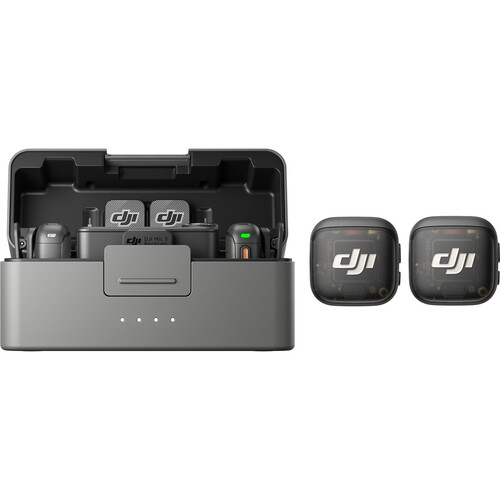 Best Budget Wireless Mic
DJI Mic 3
- Weight: 16g per transmitter
- Batteries: 4 C batteries required. (included)
- Range : Up to 400 meters
- Battery life : Up to 6 hours (18 hours with the charging case)
-
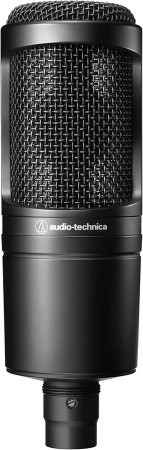 Best Studio Microphone
Audio-Technica AT2020
- Connectivity: XLR Analog (3‑pin Balanced)
- Microphone Type: Cardioid Condenser
- Special Feature: High SPL Handling & Wide Dynamic Range
- Polar Pattern: Cardioid
-
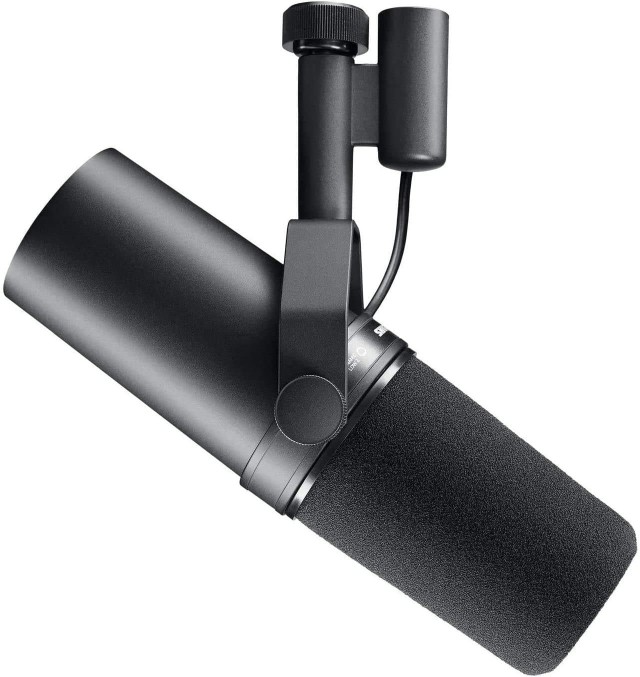 Best Professional Mic
Shure SM7B
- Connectivity: XLR Analog (3‑pin Balanced)
- Microphone Type: Dynamic Broadcast/Studio Vocal Mic
- Polar Pattern: Cardioid (Focused Pickup)
- Frequency Response: 50 Hz – 20 kHz
-
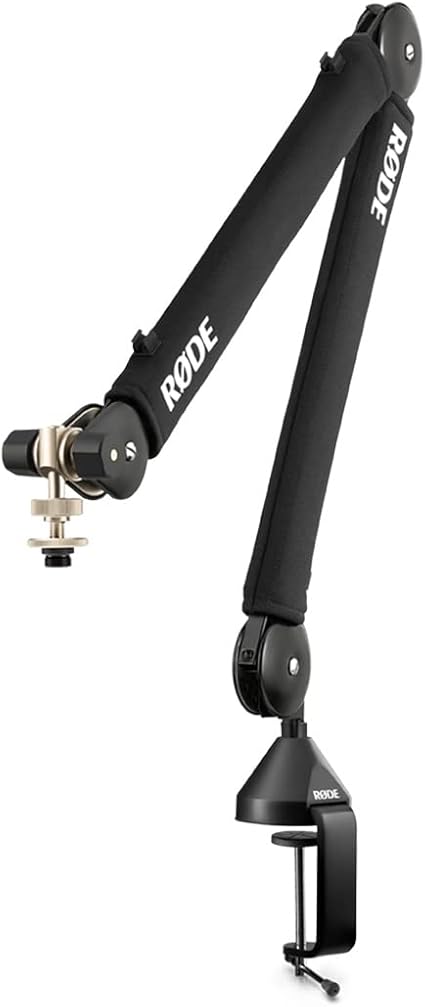 Best Boom Arm
Rode PSA 1+
- Reach: 37″ Horizontal / 34″ Vertical boom arm reach
- Rotation: 360° full‑rotation articulation
- Load Capacity: Supports 0.2 – 2.7 lb (0.1 – 1.2 kg) mics
- Mount Type: Desk C‑clamp + threaded desk insert
-
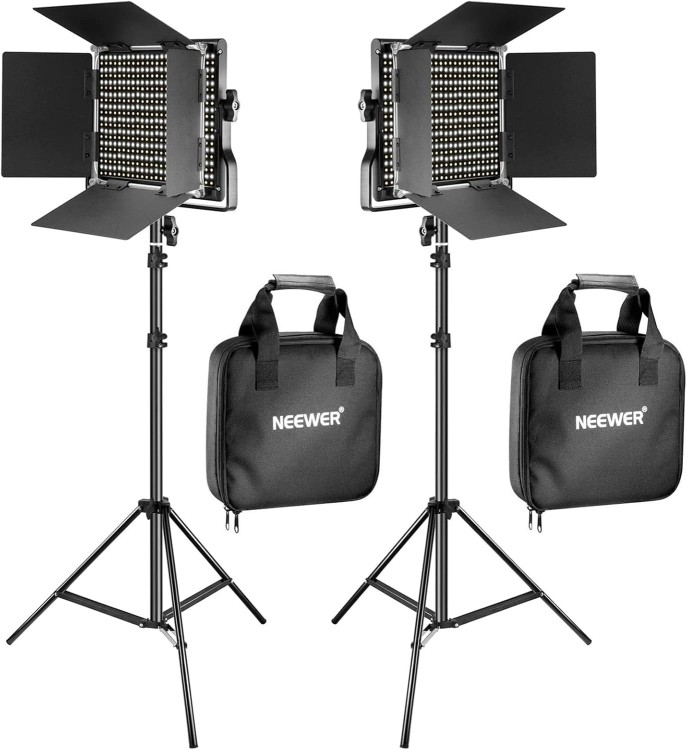 Best Budget Key Light
Neewer 660 LED
- LED Count: 660 LEDs (330 warm + 330 cool)
- Color Temperature: 3200 K–5600 K bi‑color adjustable
- Brightness Control: 0–100% stepless dimming
- Color Accuracy: High CRI ≥96 for true‑to‑life color
-
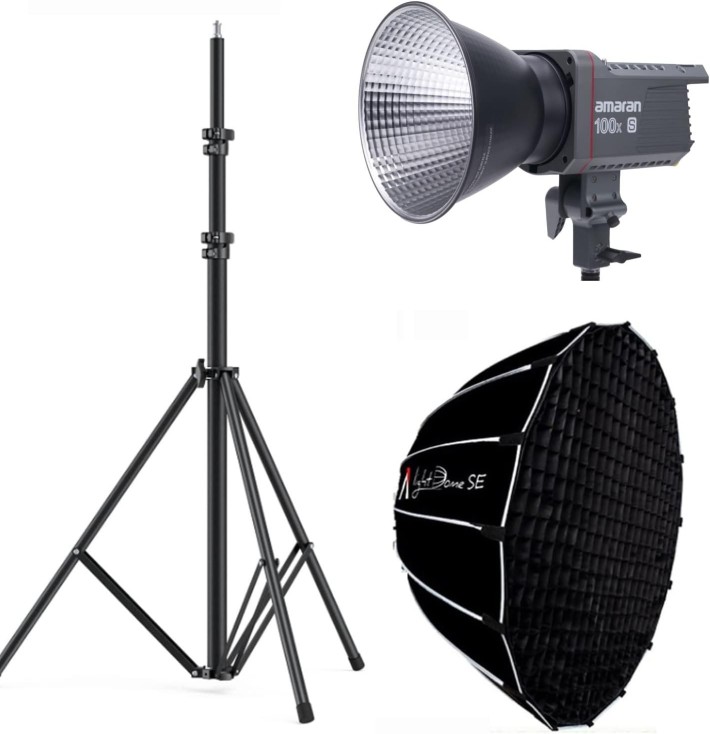 Best Professional Light
Aputure Amaran 100x
- Output Power: 100 W Bi‑Color LED COB light source (adjustable intensity)
- Color Temperature: 2700 K – 6500 K adjustable CCT
- Color Accuracy: High CRI ≥ 95 / TLCI ≥ 95
- Brightness Control: 0–100 % stepless dimming
-
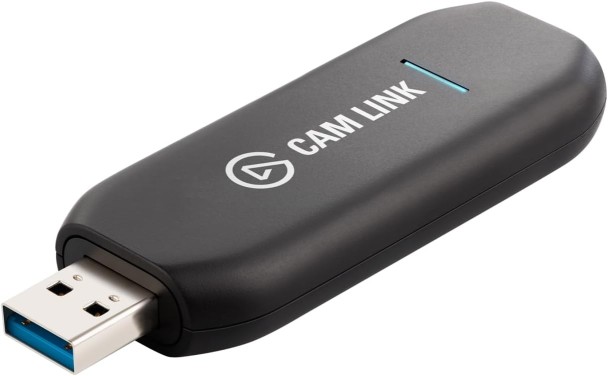 Best Capture Card
Elgato Cam Link 4K
- Connectivity: USB 3.0 (USB‑A) plug‑and‑play video capture (no drivers)
- Input: HDMI (unencrypted) from camera or device
- Capture Resolution: Up to 4K 30 fps (2160p) & 1080p 60 fps capture
- Latency: Ultra‑low latency for real‑time streaming/video
-
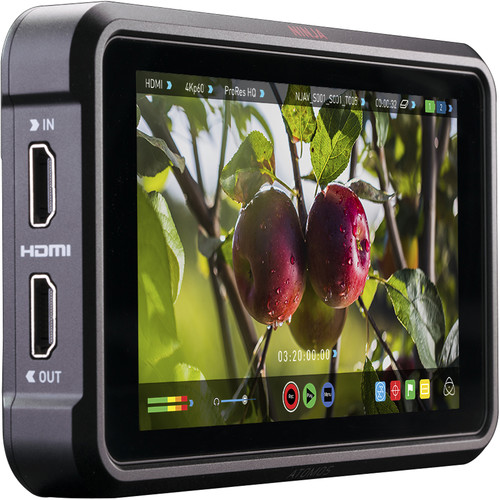 Best Camera Monitor
Atomos Ninja V
- Connectivity: HDMI 2.0 Input & Output (monitor + recording)
- Recording: Up to DCI 4K 60 fps Apple ProRes / Avid DNxHR (HDR/SDR)
- Display: 5.2″ 1000 nit HDR capacitive touchscreen (1920×1080, 10‑bit)
- Special Feature: AtomHDR for real‑time HDR/Log monitoring + custom 3D LUTs
-
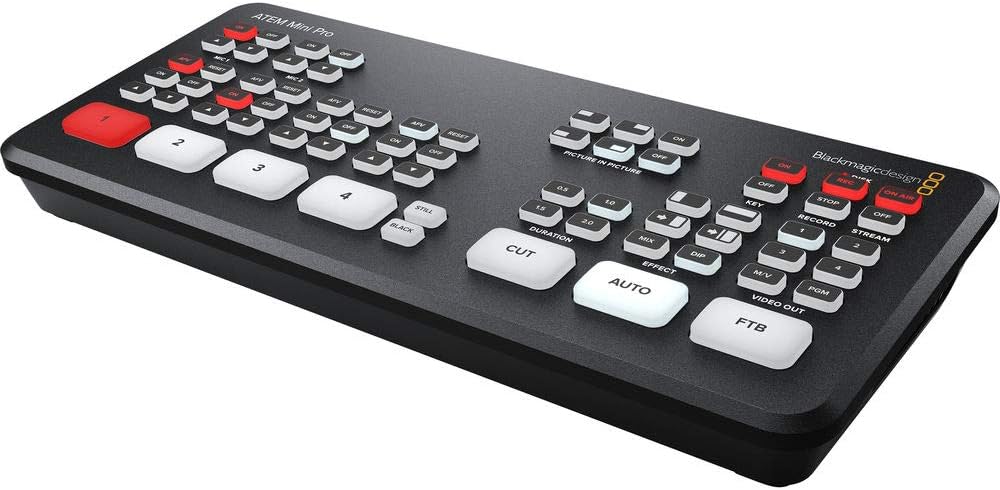 Best Multi-Camera Switcher
Blackmagic ATEM Mini Pro
- Connectivity: 4 × HDMI Inputs (with re‑sync & HD mixing)
- Streaming: Built‑in hardware RTMP live streaming via Ethernet (no PC needed)
- Recording: Direct H.264 USB‑C recording to external drives
- Output: HDMI Program/Multiview + USB‑C webcam output
-
-
Building Your YouTube Studio: Start Small, Grow Slowly
Every successful YouTuber begins somewhere—often with nothing more than a smartphone and an idea for their channel. Creativity matters more than gear. As your channel grows, the right equipment can elevate your content from “newbie” to “professional” by enhancing production quality, reducing editing time, and keeping viewers engaged.
As a camera reviewer, I frequently receive questions from people about to launch a YouTube channel about the best camera to use. While it’s tempting to splurge on 8K cameras first, there are a lot of things to buy that will improve your channel’s production values faster than a high-end camera.
This guide will walk you through the products to consider when setting up a new YouTube studio or upgrading your existing one. We tried to strike a balance between budget-friendly picks and professional-grade gear, with commentary on why each category matters and how each product was selected.
Affiliate Disclosure: We may earn a commission from purchases made through our links.
Video Capture & Cameras
Your camera is the most visible part of your setup—but not necessarily the most important when you are starting a new channel.
Good lighting and lenses will get more out of any camera, so don’t blow your budget here before considering the rest of your setup. Once you’re done with that, you can start exploring the best cameras for YouTube and our guide to Best Budget Mirrorless Cameras.
Audio Equipment
Great audio is more important than great video. Your viewers will forgive a blurry shot or an imperfect camera angle, but they’ll click away if the sound is muffled or distorted. Whether you’re narrating a tutorial, interviewing a guest, or just talking to your audience, clean, intelligible sound makes all the difference.
Wireless Microphones
Audio quality can make or break a video, especially when that video is recorded on a smartphone. Built-in mics on phones often capture background noise, wind, and echoes, while lacking clarity. External wireless microphones provide cleaner, more focused sound, allowing creators to move freely without compromising audio quality.
The DJI Mic 3 is a professional-grade wireless microphone system designed for content creators, filmmakers, and journalists who need reliable, broadcast-quality audio capture. This latest iteration features dual-channel recording with two lightweight transmitters and a touchscreen receiver, offering 32-bit float recording for exceptional dynamic range that eliminates clipping concerns. With a range of up to 400 meters in optimal conditions, intelligent noise cancellation, and up to 6 hours of battery life (18 hours with the charging case), the Mic 3 functions in challenging recording environments. The system supports both Bluetooth and analog connections, includes onboard recording as a backup safety track, and offers integration with DJI’s ecosystem of cameras and gimbals. Its compact form factor, magnetic attachment system, and controls suit run-and-gun shooting scenarios where quick setup and reliable performance are necessary, while features like timecode sync and multi-device pairing address the needs of professional productions.
- Exceptional value with dual transmitters and 32-bit float recording
- Ultra-lightweight design (16g per transmitter)
- Supports up to four transmitters and eight receivers
- Adaptive gain control with Automatic and Dynamic modes
- 32GB internal storage per transmitter with dual-file recording
- Timecode support for professional workflows
- No 3.5mm lavalier input (built-in mic only)
- Relatively new product with limited long-term testing
- It may be complex for absolute beginners
- Weight: 16g per transmitter
- Batteries: 4 C batteries required. (included)
- Range : Up to 400 meters
- Battery life : Up to 6 hours (18 hours with the charging case)
- Storage : 32GB Internal storage per transmitter with dual-file recording
When I first got my hands on the DJI Mic 3, I wasn’t expecting it to feel this polished out of the box. Microphone systems these days tend to blend together, but DJI clearly thought about the needs of creators at every step.
This system takes wireless audio to the next level with dual transmitters, a compact receiver, and a rugged charging case. You can clip the transmitters directly to your subject, use them with the built-in microphones, or plug in lavalier mics for more discreet setups. It works seamlessly with smartphones, cameras, and computers via USB-C, Lightning, or 3.5mm outputs, making it flexible for any recording scenario.
Battery life and range have been stepped up from previous DJI wireless offerings, and the quick pairing system makes setup almost instant. For vloggers and hybrid creators, the DJI Mic 3 offers pro-level sound in a package that’s easy to carry, easy to use, and surprisingly versatile for its size.
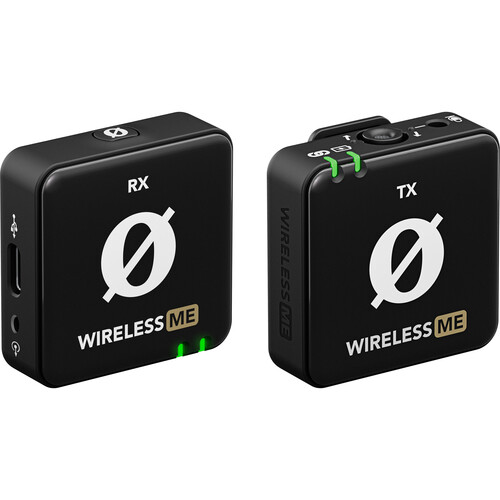
A tiny, plug-and-play wireless lav system for creators who want clear, reliable audio with almost no setup fuss. It uses Rode’s automatic gain smarts to keep levels steady when you talk louder or softer, so you spend less time fixing clipped or quiet clips in post.
The bundle includes a transmitter with a built-in mic and a receiver that also has its own microphone — handy for two-person vlogs or when the camera operator needs a backup track. You can plug the receiver straight into smartphones, cameras, or computers with the included cables, making it easy to jump between setups without buying adapters.
- Ultra-simple setup process
- Automatic gain control
- Good integration with smartphone cameras
- Compact transmitter design
- Single transmitter limits flexibility
- No internal recording backup
- Less range than professional systems
- Connectivity : USB
- Connector Type: XLR
- Special Feature: Noise Reduction
- Compatible Devices: Audio Interface
- Polar Pattern: Omnidirectional
- Product Dimensions: 5.65 x 5.4 x 1.8 inches
- Weight: 2.26 ounces
I’ve been using Rode mics for a decade now, and the Rode Wireless Me is a great entry-level lav mic. It is a simplified wireless system from Rode designed specifically for smartphone content creation. It features automatic level adjustment and seamless iOS and Android integration with minimal setup required.
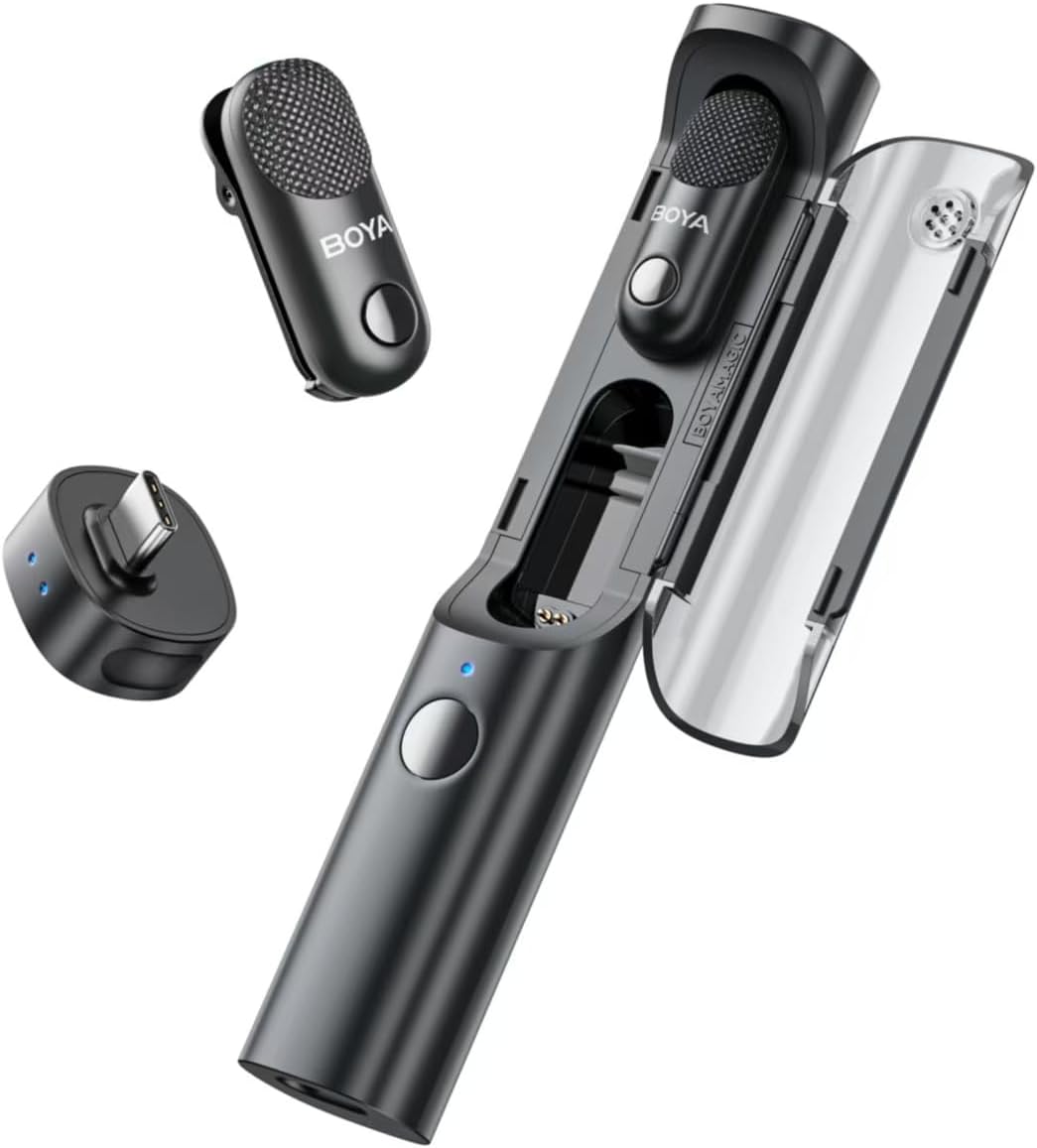
An affordable, plug-and-play wireless lav for creators who want decent, hassle-free audio fast.
The compact transmitter (built-in mic) and receiver plug into phones, cameras, or PCs, so you get clear voice tracks without fiddly setup. Great for vlogs and quick interviews: just don’t expect pro-level range, advanced controls, or premium build quality.
- Multiple microphone configurations included
- Universal receiver compatibility
- Real-time monitoring capabilities
- Good value for included accessories
- Build quality varies across components
- The app interface could be more intuitive
- Battery life is inconsistent between modules
- Connectivity: 2.4GHz Wireless
- Audio Quality: 48kHz / 24-bit High-Resolution Audio
- Special Feature: AI Noise Cancellation (Light & Strong modes)
- Design: 4-in-1 Transformable (Lavalier, Handheld, Desktop, On-Camera)
- Transmission Range: Up to 100 meters (line of sight)
- Connector Type: USB-C / Lightning / 3.5mm (via included receivers)
The BOYA Magic Wireless Microphone blew me away when I opened the package with our review unit. It’s not easy to surprise me with a microphone setup, as they’re all so similar.
But the BOYA Magic Wireless Mic is a new idea with multiple ways to use it. You can use the two transmitters as lav mics, use the case to turn it into a handheld mic, or use it as a clip-on shotgun mic for smartphones. With support for USB-C, Lightning, and 3.5mm receivers, it offers impressive flexibility.
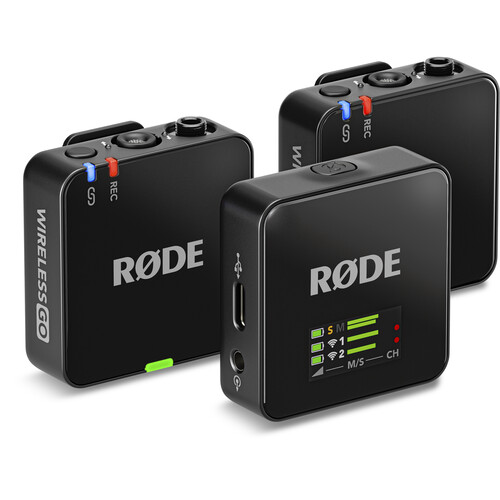
A pro-style, compact dual-channel wireless mic system built for creators who need flexible, high-quality audio without bulky gear. The Wireless Go III pairs two tiny clip-on transmitters (each with a built-in omnidirectional mic) to a single receiver and sends stable digital audio up to about 853 ft away — ideal for interviews, vlogs, and run-and-gun shoots.
Each transmitter can also record to its onboard storage (32-bit float) as a safety backup, helping you recover clips that would otherwise be clipped or too quiet. There are locking 3.5 mm inputs for external lavaliers, a bright LCD on the receiver, and compatibility with cameras, phones, and computers via the Rode Central app.
- Excellent audio quality and range
- Dual transmitters with internal recording
- Multiple output options (USB-C, Lightning, 3.5mm)
- Reliable performance in challenging environments
- Higher price than budget alternatives
- No charging case (charges via cable)
- It can be complex for beginner users
- Connectivity: Series IV 2.4 GHz Digital Wireless
- Built-In Recording: 32-bit Float On-Board Backup Recording (40 + hrs)
- Special Feature: Intelligent GainAssist with Safety Channel
- Channels: Dual-Channel System
- Range: Up to ~853 ft / 260 m Line-of-Sight
- Connector Type: USB-C Digital + 3.5 mm TRRS/TRS I/O
When I started my channel, the first thing I picked up was the Rode Wireless Go, the original version of this mic, but it always felt a bit underpowered feature-wise. This third edition takes the mic to a new level, and it’s a perfect choice for the smartphone creator.
The latest iteration of Rode’s popular wireless system features improved range, better battery life, and enhanced smartphone compatibility. It includes dual transmitters and multiple output options for versatile recording setups.
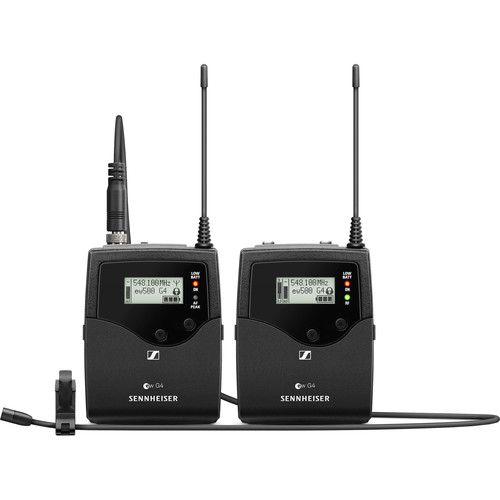
A top-tier wireless lavalier system built for professional filmmakers and video producers who need uncompromising audio quality and rock-solid reliability. The included MKE 2 Gold lavalier delivers broadcast-quality sound, while the massive 88 MHz bandwidth provides 3,520 selectable frequencies to avoid interference in crowded RF environments. Features one-touch sync between transmitter and receiver, automatic frequency scanning, and a camera-mountable receiver with both hot shoe and cold shoe compatibility. The rugged all-metal construction handles field production demands, though the bodypack transmitter is larger than ultra-compact consumer alternatives.
- Premium MKE 2 Gold lavalier mic with broadcast-quality sound
- Massive 88 MHz bandwidth with 3,520 selectable frequencies
- Rugged all-metal construction built for field production
- Camera-mountable receiver with hot/cold shoe compatibility
- One-touch sync and automatic frequency scanning
- Premium pricing reflects professional-grade components.
- More complex setup than consumer wireless systems
- Bodypack transmitter larger than ultra-compact alternatives
- Connectivity: UHF Wireless (Adaptive Diversity)
- Range: Up to ~100 m / 330 ft Line‑of‑Sight
- Special Feature: Up to 3,520 Selectable Frequencies (Auto Scan)
- Channels: Up to 32 Mics per Band / Up to 88 MHz Bandwidth
- Microphone: MKE 2 Omnidirectional Lavalier Included
- Connector Type: 3.5 mm Balanced Output (plus XLR via Cable)
The Sennheiser EW 512P G4 is a top-tier wireless system built for professional filmmakers and video producers who need uncompromising audio quality and rock-solid reliability. With its broadcast-grade MKE 2 Gold lav mic, wide UHF frequency range, and seamless camera integration, it outperforms 2.4GHz systems in demanding environments—though its capabilities are far beyond what most YouTube creators will ever need.
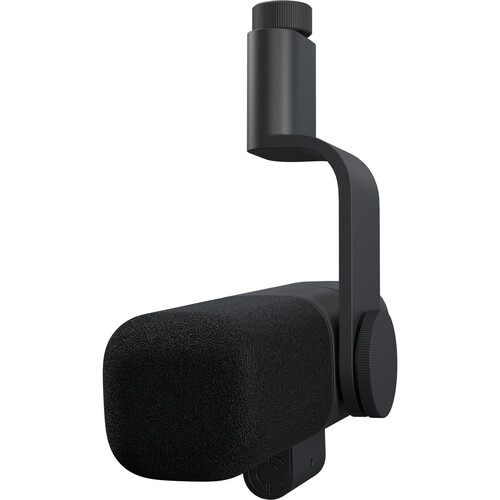
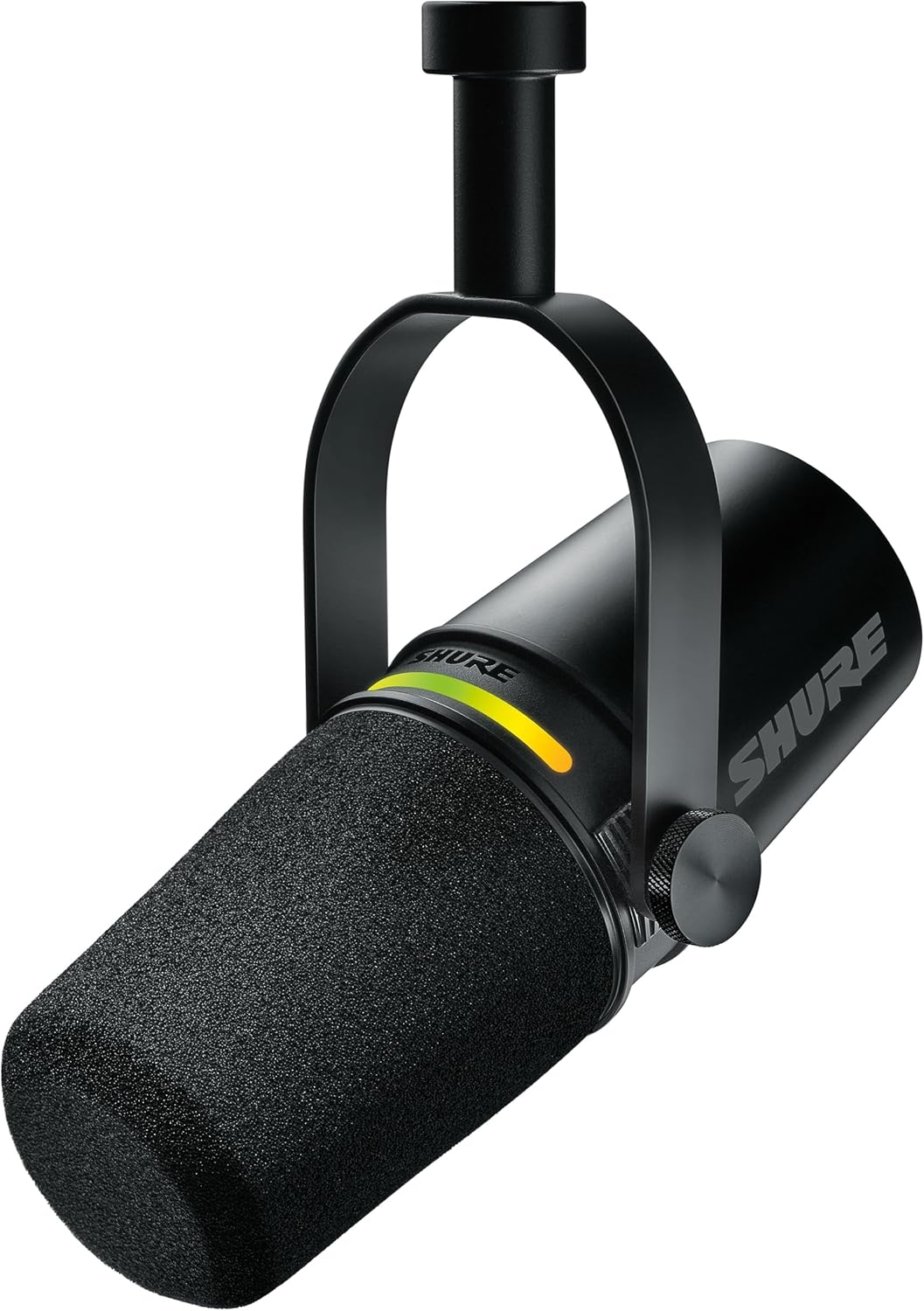
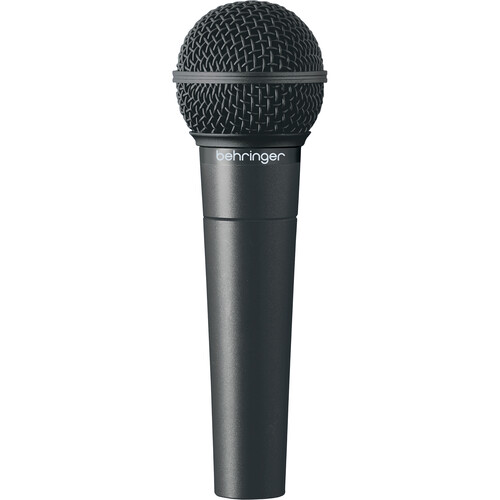
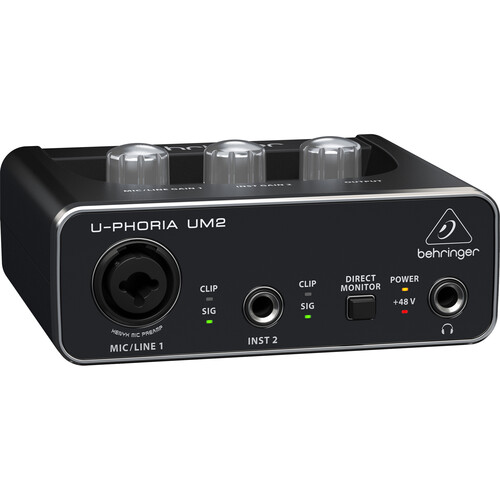
A large-diaphragm condenser microphone that delivers studio-quality sound for voiceovers, podcasting, and YouTube content. The AT2020 captures detailed, natural-sounding vocals with its wide frequency response and low self-noise floor. Requires phantom power (easily provided by budget interfaces like the Behringer UM2) and works best in treated recording spaces. The durable metal construction and proven reliability make it a staple in home studios worldwide.
- Excellent value for studio-quality condenser sound
- Wide frequency response captures detailed vocals
- Low self-noise for clean recordings
- Durable metal construction
- Works well with budget interfaces
- Requires phantom power (included with UM2)
- More sensitive to room acoustics than dynamic mics
- No built-in shock mount included
- Picks up background noise more than dynamic alternatives
- Connectivity: XLR Analog (3‑pin Balanced)
- Microphone Type: Cardioid Condenser
- Special Feature: High SPL Handling & Wide Dynamic Range
- Polar Pattern: Cardioid
- Frequency Response: 20 Hz–20 kHz
- Power Requirement: 48 V Phantom Power
- Build: Rugged Metal Body with Pivoting Stand Mount
- Included Accessories: Stand Mount + Adapter + Pouch
This large-diaphragm condenser microphone delivers studio-quality sound perfect for voiceovers, podcasting, and YouTube content. The AT2020 is a shotgun-style studio microphone that captures detailed, warm audio with excellent sensitivity. Paired with the Behringer UM2 interface, it’s an affordable entry into professional XLR recording that rivals much more expensive setups.
A premium XLR dynamic microphone designed for streamers and on-camera creators who value both performance and aesthetics. Features a built-in ClearAmp preamp that eliminates the need for external gain boosters, solving the low-output issue common with dynamic mics. The dual-diaphragm capsule delivers broadcast-quality sound with excellent off-axis rejection, while the unique camera-ready design comes in multiple colors to match your setup. The 290-degree swivel mount and magnetic windscreen system provide flexible positioning and quick customization.
- Built-in ClearAmp preamp eliminates the need for external boosters
- Unique camera-ready design available in multiple colors
- Dual-diaphragm capsule with excellent noise rejection
- Works with standard audio interfaces (+24V or +48V phantom power)
- 290-degree swivel mount for flexible positioning
- Magnetic windscreen system with color options
- Premium pricing
- XLR-only connectivity (no USB option)
- Limited EQ adjustment options compared to software solutions
- Connectivity: XLR Wired (Pro XLR interface)
- Special Feature: Built‑in ClearAmp Preamp (+25 dB gain)
- Polar Pattern: Supercardioid (focused voice pickup)
- Microphone Type: Active Dynamic Broadcast Mic
- Frequency Response: 40 Hz – 18 kHz
- Included Accessories: Swappable Windscreens & Mount Adapter
The Logitech Blue Sona is a premium XLR dynamic mic tailored for streamers and on-camera creators who value both aesthetics and professional sound. With its built-in ClearAmp preamp, customizable tone switches, and sleek magnetic design, it delivers rich, broadcast-quality audio without external gear—proving that Logitech’s venture into microphones is far more than a side project.
The gold standard of dynamic microphones, trusted by professionals in podcasting, broadcasting, and voiceover for its warm, smooth sound signature. Features built-in pop filter and shock mounting that effectively reject background noise and room reflections, making it ideal for untreated spaces. The SM7B handles loud sources without distortion and delivers consistent results across different voices. Requires significant gain (often 60dB+), so budget for a quality preamp or inline booster like the Cloudlifter CL-1. Despite its premium price, the SM7B’s durability and professional results make it a long-term investment.
- Industry-standard sound quality used by professionals
- Excellent rejection of background noise and room reflections
- Built-in pop filter and shock mounting
- Extremely durable construction
- Handles loud sources without distortion
- Works well in untreated rooms
- Requires significant gain (often needs a cloudlifter or quality preamp)
- Higher price point
- Needs tweaking with an equalizer to get the best sound.
- Heavy, requires a sturdy boom arm
- Connectivity: XLR Analog (3‑pin Balanced)
- Microphone Type: Dynamic Broadcast/Studio Vocal Mic
- Polar Pattern: Cardioid (Focused Pickup)
- Frequency Response: 50 Hz – 20 kHz
- Special Feature: Internal Air‑Suspension Shock Isolation
- Controls: Bass Rolloff & Mid‑Range Emphasis Switches
The Shure SM7B is the gold standard of dynamic microphones, trusted by professionals in podcasting, broadcasting, and voiceover for its warm, smooth tone and exceptional versatility. With built-in pop filtering and electromagnetic shielding, it delivers studio-quality sound in any setup—an enduring favorite that continues to define the sound of modern spoken word content.
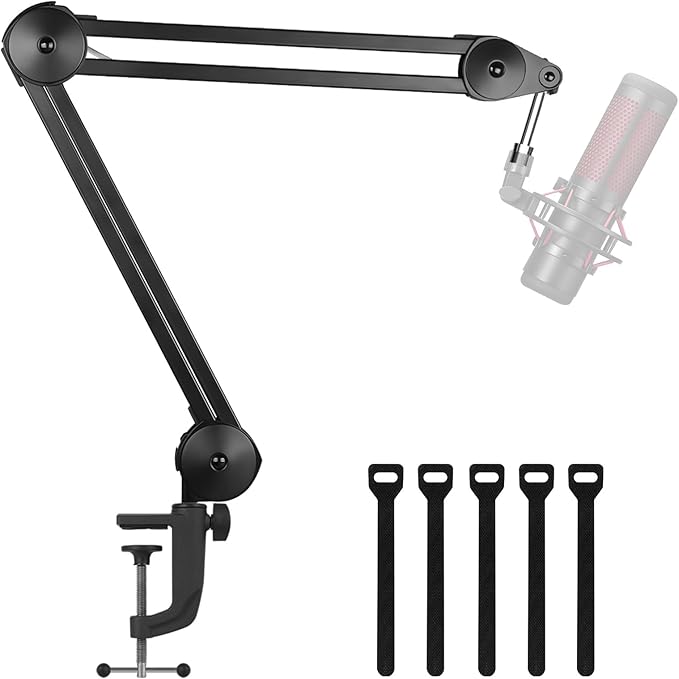
A budget boom arm that delivers surprisingly stable performance for entry-level setups. Features shock mount support and good range of motion for positioning your microphone out of frame. The adjustable desk clamp fits most standard desks and includes basic cable management. While the build quality is basic and joints may loosen with frequent adjustment or heavier microphones, it provides excellent value for beginners learning proper microphone placement without investing in premium mounting solutions.
- Very affordable entry into boom arm setups
- Surprisingly stable for the price
- Includes shock mount
- Good range of motion and adjustability
- Easy to install on most desks
- Build quality is basic
- Can sag over time with heavier microphones
- Limited weight capacity
- Joints may loosen with frequent adjustment
- Adjustability: Fully adjustable swivel boom arm (135° horizontal, 180° vertical)
- Load Capacity: Supports up to ~3.3 – 4.4 lbs depending on model/configuration
- Mount Type: Desk‑clamp boom arm stand
- Material: Heavy‑duty steel construction
- Cable Management: Built‑in cable routing channels
- Connector Type: 3/8″ to 5/8″ adapter included (fits most mics)
This budget boom arm is surprisingly stable and strong, with shock mount support and a wide range of motion for beginner setups. It’s not fancy, but it gets the mic where you need it. It’s not as durable as the other products in this guide, but if you need a place to start and don’t want to spend money until you need to, this is your choice.
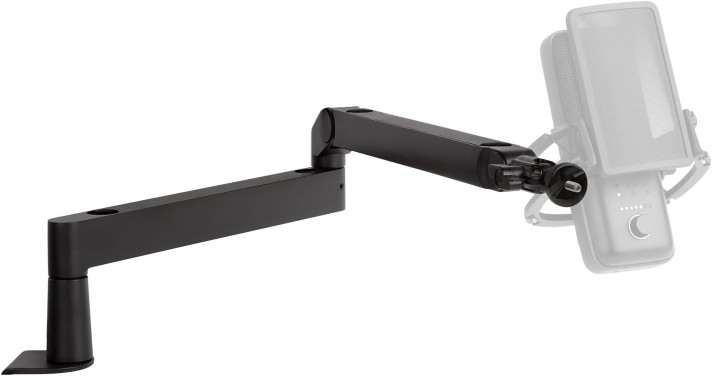
A professional-grade boom arm that refines the classic PSA1 design with silent, completely smooth operation thanks to damped internal springs. Handles microphones up to 1.2kg (2.7lbs) without sagging, making it compatible with heavy broadcast mics like the Shure SM7B. The parallelogram spring design maintains mic orientation throughout its movement, while integrated cable management with external clips keeps your setup tidy. Features both desk clamp and desk insert mounting options, with an extended reach of 940mm horizontal and 860mm vertical. The premium build quality and proven reliability justify the higher price for creators who adjust mic position frequently.
- Excellent build quality and durability
- Smooth, completely silent operation with damped springs
- Handles heavy microphones without sagging (up to 1.2kg/2.7lbs)
- Integrated cable management with external clips
- Multiple mounting options (desk clamp and desk insert)
- Proven reliability in professional settings
- Parallelogram spring design maintains mic orientation
- Extended reach (940mm horizontal, 860mm vertical)
- Higher price than budget alternatives
- Takes up significant desk space when extended
- Neoprene covers show Rode branding
- It may be overkill for lighter USB microphones
- Reach: 37″ Horizontal / 34″ Vertical boom arm reach
- Rotation: 360° full‑rotation articulation
- Load Capacity: Supports 0.2 – 2.7 lb (0.1 – 1.2 kg) mics
- Mount Type: Desk C‑clamp + threaded desk insert
- Cable Management: Integrated clips for USB/XLR cables
- Thread Size: 3/8″‑16 with 5/8″‑27 adapter included
The Rode PSA 1+ refines a classic with silent, durable performance and premium build quality that make it the ultimate boom arm for creators. With smooth movement, excellent stability under heavy mics like the SM7B, and thoughtful upgrades—like integrated cable management and noise-dampening neoprene covers—it’s a reliable, professional-grade choice for any podcasting or streaming setup.
An innovative low-profile boom arm designed specifically for on-camera content creators who need their microphone close but out of frame. The unique mounting system positions the arm below desk level, keeping it invisible in most camera angles while maintaining easy mic positioning. Features built-in cable management channels that hide wiring completely, and exceptionally smooth operation with premium materials throughout. The modern design complements streaming setups, though it requires specific desk configurations and may struggle with very heavy microphones. Perfect for streamers and YouTubers who want professional audio without visible equipment cluttering their shot.
- Innovative low-profile design stays out of frame
- Built-in cable management channels
- Exceptionally smooth operation
- Premium build quality and materials
- Perfect for on-camera content creators
- Unique mounting system
- Premium pricing
- Limited compatibility with some desk setups
- May not work well with very heavy microphones
- Requires specific mounting requirements
- Horizontal Reach: ~740 mm / 29.1 in horizontal boom reach for wide mic placement
- Adjustability: 360° horizontal rotation + 90° vertical tilt for flexible positioning
- Load Capacity: Supports up to 2 kg / 4.4 lbs (mic + accessories)
- Mount Compatibility: 1/4″ with included adapters for 3/8″ & 5/8″ mounts
- Clamp Type: Padded desk‑clamp fits desks up to ~60 mm / 2.4″ thick
- Cable Management: Integrated cable channels with magnetic covers
I’m also using the Elgato Wave Mic Arm to hold the microphone for my guest contributors. This LP version is designed to disappear below the frame, so the mic arm isn’t the most noticeable thing in the video.
Lighting & Backdrop
Lighting affects the tone and professionalism of your entire video. A well-lit scene makes any camera look better, reduces editing headaches, and creates the look and feel of your brand. Good lighting also separates you from the background and draws attention to your subject. Start with a single key light and expand to rim and fill lighting as your setup grows.
Key Light
A budget‑friendly bi‑color LED panel that gives creators flexible, adjustable lighting for video, portrait, and product shoots without breaking the bank. It blends 660 LEDs (half cool, half warm) to let you fine‑tune color temperature from about 3200 K (warm) to 5600 K (daylight), helping you match ambient light or craft looks without gels. CRI ratings around 96+ mean skin tones and colors show up more naturally on camera.
The lightweight aluminum panel includes barn doors and a U‑mount bracket so you can shape and aim the light precisely, and it runs off AC power or NP‑F‑style batteries (sold separately) when you need cable‑free operation. Flicker‑free dimming and an LCD display make it easy to check brightness and color temp at a glance.
- Very affordable for a complete lighting kit
- Bi-color temperature control (3200K-5600K)
- Includes barn doors for light control
- Decent build quality for the price
- Good for beginners learning lighting
- Limited power output
- Color accuracy isn’t professional grade
- Build quality is basic
- Fan noise at higher outputs
- Limited modifier compatibility
- LED Count: 660 LEDs (330 warm + 330 cool)
- Color Temperature: 3200 K–5600 K bi‑color adjustable
- Brightness Control: 0–100% stepless dimming
- Color Accuracy: High CRI ≥96 for true‑to‑life color
- Power Options: AC adapter (included) or NP‑F series battery (not included)
- Build: Rugged aluminum body with U‑bracket mount
You might not have heard the name Neewer, but it’s very well respected in the video space. I have multiple products from Neewer in my studio.
This model is designed to be affordable and versatile. This bi-color LED panel includes barn doors and adjustable output. It’s a solid starter light for single-subject setups or adding fill to daylight scenes, though it doesn’t offer as many features as more expensive lights.
A versatile 100 W bi‑color LED monolight that gives creators punchy, adjustable lighting in a compact package. It lets you dial color temperature from warm 2700 K to daylight 6500 K and smoothly dim brightness from 0–100 %, so you can match ambient light or craft looks without gels. CRI/TLCI scores around 95+ mean skin tones and colors render naturally on camera. The light uses a universal Bowens mount, so you can add softboxes, reflectors, and other modifiers, and it even includes a built‑in umbrella holder for quick setup. Bluetooth control via the Sidus Link app (plus onboard controls) makes remote adjustments easy, and active cooling keeps output stable during long shoots.
- Excellent color accuracy and control
- Bowens mount accepts a wide range of modifiers
- Solid build quality and reliability
- Good power output for size
- Precise color temperature adjustment
- Silent operation
- Mid-range pricing
- Requires a separate light stand
- May need multiple units for larger setups
- Limited to 100W output
- Output Power: 100 W Bi‑Color LED COB light source (adjustable intensity)
- Color Temperature: 2700 K – 6500 K adjustable CCT
- Color Accuracy: High CRI ≥ 95 / TLCI ≥ 95
- Brightness Control: 0–100 % stepless dimming
- Connector Type: Bowens mount for light modifiers
- Power Options: AC power (100‑240 V) + optional battery support
Aputure is another brand that most people have never heard of, but they make excellent lights. I’ve got several Aputure lights in my studio, and they’re all amazing.
This light offers precise color control, solid build quality, and excellent output for its size. It’s ideal for creators who want cinematic lighting on a mid-range budget.
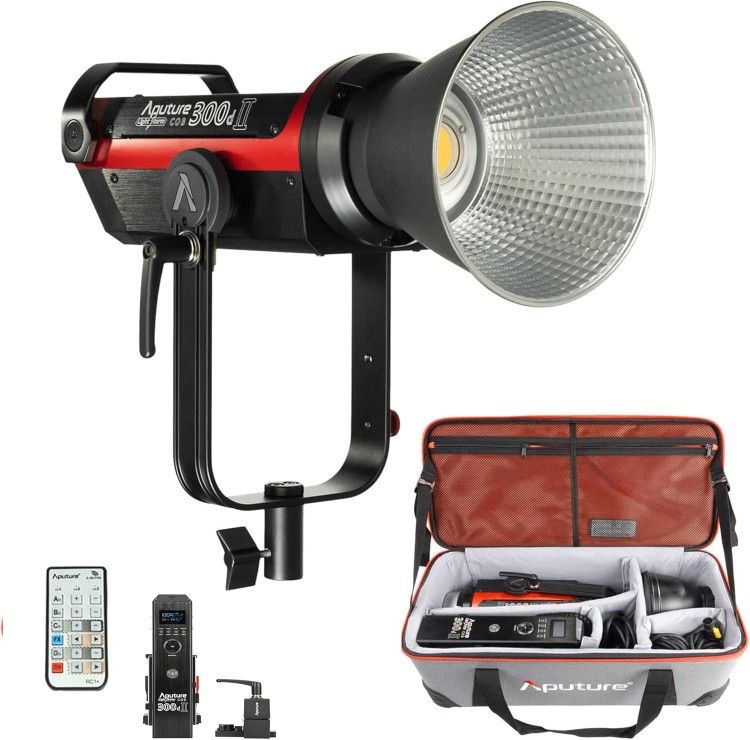
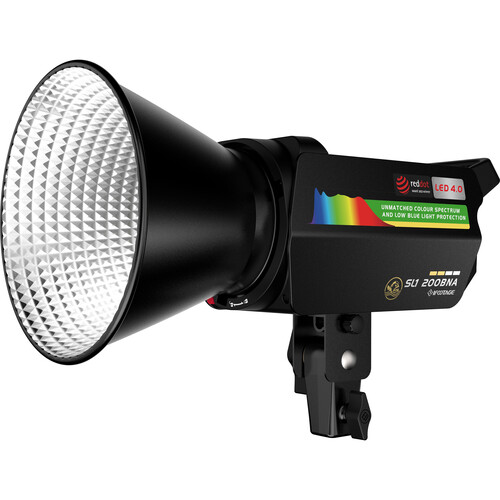
A powerful yet compact bi‑color COB LED light that gives video creators and small studio shooters punchy, natural‑looking illumination without a giant rig. It runs up to 200 W with a Bowens mount and offers a wide 2700–6500 K range so you can match warm room light to daylight and everything in between. The fixture boasts very high color accuracy (CRI ~98, TLCI ~99) to deliver lifelike skin tones and true‑to‑scene hues right out of camera.
With about 38,000 lux at 1 m with reflector, this light hits hard enough for interviews, portraits, and product setups while staying portable at ~1.8 kg. Integrated Bluetooth app control (via iFootage Lumin+) plus onboard buttons make it easy to adjust brightness, color temp, and presets without fuss. A smart cooling system with automatic fan speed keeps heat in check during long sessions.
- Professional bi-color range (2700K-6500K) with excellent color accuracy
- Advanced honeycomb technology ensures even light distribution
- Bowens mount compatibility with an extensive modifier ecosystem
- Smartphone app control with wireless connectivity and preset management
- Lightweight at 1.76kg with an intelligent cooling system
- Premium pricing
- Limited to 200W output compared to higher wattage alternatives
- Professional features may be complex for casual users
- Requires V-mount batteries or AC power for operation
- Power Output: 230 W Bi‑Color COB LED light source (high output)
- Color Temperature: 2700 K – 6500 K adjustable bi‑color range
- Color Accuracy: CRI 98 / TLCI 99 (excellent natural light)
- Connector/Mount: Bowens accessory mount (wide modifier compatibility)
- Brightness: Up to ~38,000 lux with reflector at 1 m
- Special Feature: 10 Built‑in Lighting Effects & 4 Dimming Curve Presets
I use this as the main light in my studio for the Imaging Resource YouTube channel and my own channel. A professional bi-color LED spotlight, it delivers 200W of power with adjustable color temperature from 2700K to 6500K. The Anglerfish SL1 200BNA features advanced natural spectrum technology and even light distribution. The color temperature stays accurate, and you can adjust this light with the iFootage app. If you have multiple iFootage lights, you can control them all at once.
Teleprompter
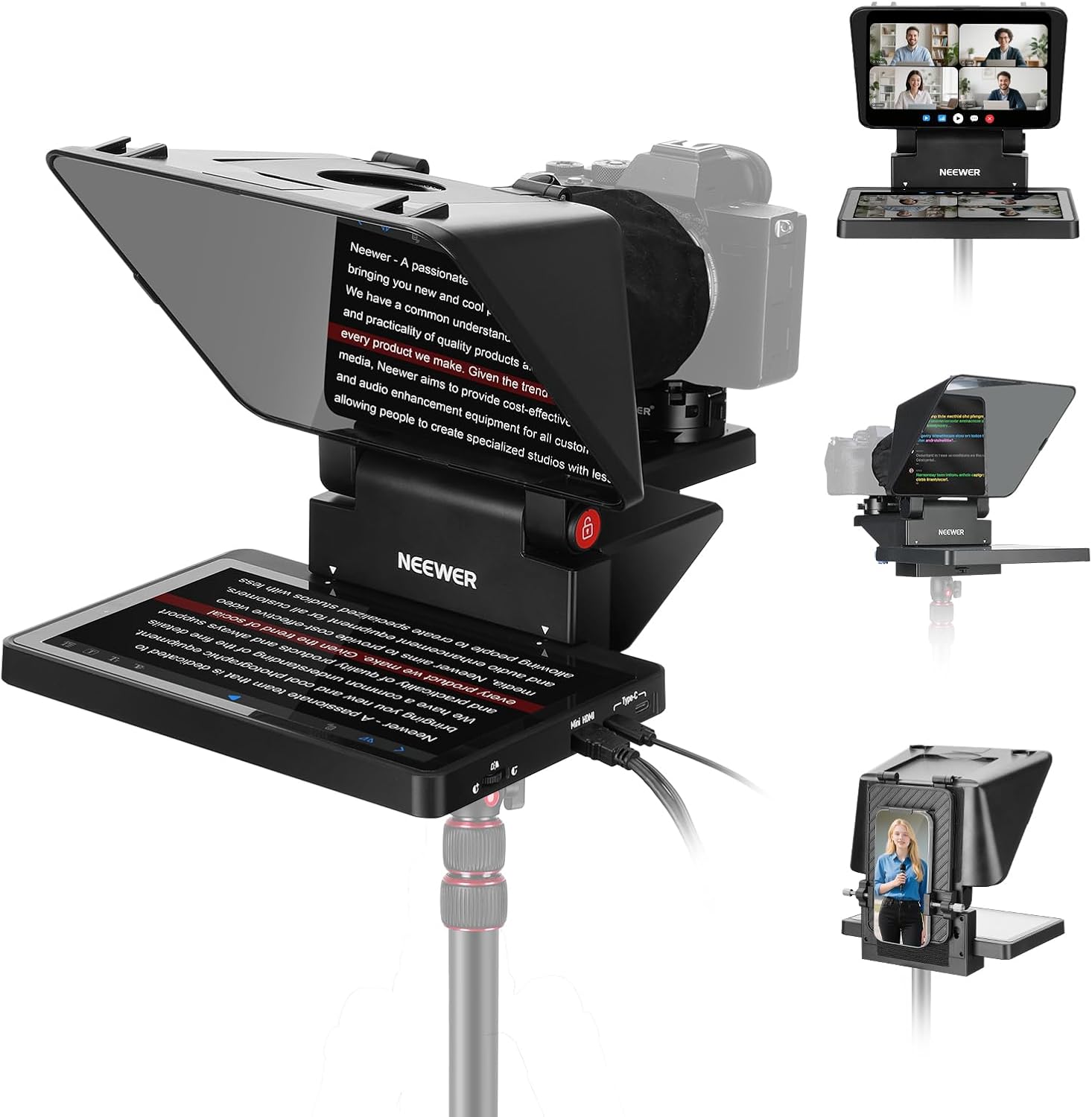
The Neewer X11 is a portable teleprompter system that works with DSLRs, smartphones, and webcams, allowing creators to read scripts while maintaining eye contact with the camera. It includes an 11-inch display tablet that reflects script text onto a beamsplitter glass positioned in front of the lens, creating the appearance of direct-to-camera delivery. The system supports both horizontal and vertical orientations, making it suitable for traditional video production and social media content. It mounts to standard tripods and includes adjustable clamps for various camera sizes.
- Includes complete system with 11-inch tablet display rather than requiring a separate device for script display.
- Supports both landscape and portrait orientations, accommodating traditional video and vertical social media formats.
- Universal mounting system works with smartphones, webcams, and DSLR cameras up to moderate sizes.
- Brightness limitations in outdoor or brightly lit environments can make text difficult to read clearly.
- Setup and alignment process requires adjustment time before each recording session begins.
- Beamsplitter glass adds bulk to the camera setup, making handheld shooting impractical.
- Compatibility: Smartphones, webcams, cameras (lens diameter up to 4.3″)
- Mounting: Universal clamp system, 1/4″-20 tripod mount
- Connectivity: USB-C for tablet charging and data
- Display: 11-inch LCD tablet 1280×800 resolution
- Control: Bluetooth remote control included
- Weight: 5.5 lbs.
The Neewer teleprompter is the latest entrant in the category of prompters with built-in screens, which eliminates the need to use a phone or tablet as the source of the projected text. The teleprompter also functions as a second display, so streamers can look right at their chat stream while responding to viewers. A great all-in-one choice, and it’s currently what I use in my studio.
Streaming & Connectivity
Capture Card
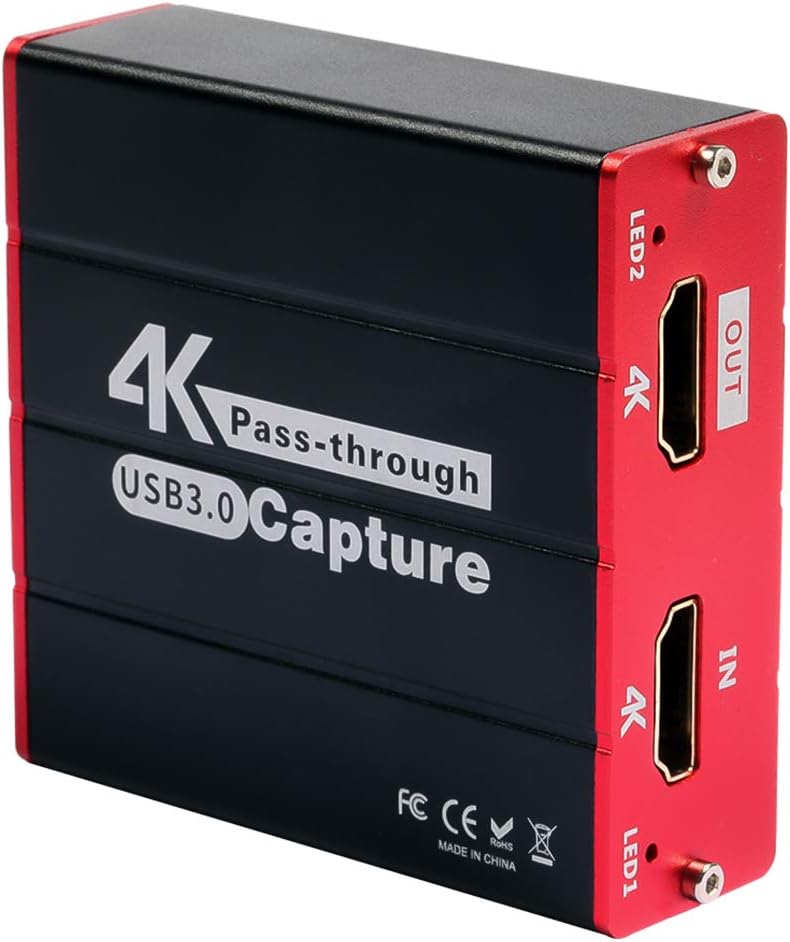
A compact HDMI‑to‑USB capture card that turns cameras, consoles, and other HDMI sources into a webcam‑style feed for PCs without needing drivers. It accepts up to 4K@30 Hz input with 1080p 60 fps capture over a USB 3.0/USB‑C connection, so you can record or stream gameplay, camera video, or presentations in full HD with minimal setup. Plug‑and‑play compatibility with Windows, macOS, and Linux means it works out of the box with OBS, YouTube, Twitch, Zoom, and similar apps, and an HDMI loop‑out lets you monitor or pass video to a display with near‑zero latency.
- Very affordable entry into capture cards
- Compact and portable design
- Plug-and-play with most software
- Good for basic streaming needs
- No external power required
- Limited to 1080p60 maximum
- No 4K passthrough
- Build quality is basic
- May have compatibility issues with some devices
- Limited professional features
- Connectivity: USB 3.0 / USB‑C video capture interface (plug‑and‑play)
- Input: HDMI source support up to 4K@30Hz (1080p capture)
- Capture Resolution: Up to 1080p @ 60 fps HD video capture
- Loop‑out: HDMI passthrough (zero latency) for monitor display
- Audio I/O: 3.5 mm microphone input and audio output support
- Compatibility: Works with Windows, macOS & Linux (OBS, Twitch, YouTube, etc.)
This compact card does the job for basic live streaming or webcam use. It won’t support 4K passthrough, but it’s a great entry point.
A tiny USB HDMI capture dongle that turns your DSLR, mirrorless, camcorder, or action camera into a high‑quality webcam or external source for streaming and recording. It accepts an HDMI feed and delivers up to 4K 30 fps video or 1080p 60 fps, letting you bypass your camera’s internal webcam mode and get sharper, cleaner footage in apps like OBS, Zoom, Teams, and more. Its plug‑and‑play design works with Windows and macOS, and the included USB3 extension cable helps you position it conveniently without hacking adapters. The ultra‑low‑latency UVC connection means you see your camera feed with minimal delay, which matters for live streams, presentations, or video calls.
- Excellent 4K30 and 1080p60 support
- Reliable performance and compatibility
- Works seamlessly with all major streaming software
- Compact form factor
- No driver installation required
- Single input limits multi-camera setups
- Can get warm during extended use
- No built-in controls or monitoring
- Connectivity: USB 3.0 (USB‑A) plug‑and‑play video capture (no drivers)
- Input: HDMI (unencrypted) from camera or device
- Capture Resolution: Up to 4K 30 fps (2160p) & 1080p 60 fps capture
- Latency: Ultra‑low latency for real‑time streaming/video
- Compatibility: Works with Windows & macOS, plus apps like OBS, Streamlabs, Zoom
- Loop‑Out / Passthrough: None (focus on capture to USB)
This is the go-to 4K capture solution, and I use it in my own studio to grab footage directly from my cameras and to livestream at 4K. With 4K30 and 1080p60 support, this device is a staple for streamers. It works seamlessly with OBS, Zoom, and YouTube Live, making it perfect for creators who need dependable results while broadcasting live.
A compact live‑production switcher that turns multiple camera feeds and HDMI sources into a polished live stream or recorded program without needing a big rack of gear. It handles four HDMI inputs with automatic re‑sync and lets you cut between cameras, computers, game consoles, or presentation decks in real time — ideal for multi‑camera YouTube shows, webinars, and hybrid events. Unlike basic HDMI switchers, the ATEM Mini Pro adds a built‑in hardware encoder for direct live streaming over Ethernet to YouTube, Facebook, Twitch, and more, plus you can record directly to USB drives in H.264 with audio. The multiview output shows all four inputs, preview, program, and audio meters on a single screen so you always know what’s live.
- Full broadcast-quality switching capabilities
- Four HDMI inputs for multi-camera setups
- Built-in recording to USB drives
- Professional audio mixing capabilities
- Real-time streaming to multiple platforms
- Extensive control and monitoring options
- Premium pricing
- Complex for beginners
- Requires multiple cameras to justify
- Learning curve for full feature utilization
- Connectivity: 4 × HDMI Inputs (with re‑sync & HD mixing)
- Streaming: Built‑in hardware RTMP live streaming via Ethernet (no PC needed)
- Recording: Direct H.264 USB‑C recording to external drives
- Output: HDMI Program/Multiview + USB‑C webcam output
- Audio Mixer: Fairlight mixer with EQ, compressor, limiter & audio delay
- Effects: DVE transitions, chroma key, picture‑in‑picture & media pool stills
This is probably the most common device found in streaming setups. More than a capture card, this 4-input switcher is a full broadcast console. It’s ideal for creators running multi-camera setups or doing real-time switching on the fly.
Video Monitors
The word “monitor” usually refers to the display that connects to your computer, but in video capture, a monitor is a small screen you can attach to your camera. A monitor allows you to watch your footage in real time, so you can be sure your framing, exposure, and audio settings are correct.
A high-quality monitor transforms your video editing workflow and ensures your content looks its best across all devices.
For YouTube creators, monitor choice depends on your content type and budget. Basic editing work requires accurate sRGB coverage and good contrast, while color-critical projects need wider gamuts like DCI-P3. Size matters too—larger screens provide more timeline space and better detail visibility, but smaller displays work well for mobile setups or tight budgets.
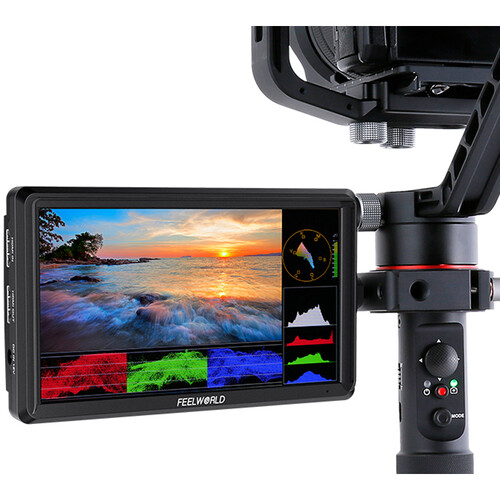
A lightweight 6″ on‑camera field monitor that gives shooters a clear, high‑resolution view of what their camera sees — ideal for run‑and‑gun video, focus pulling, and reviewing composition on set or in the field. It uses a full‑HD 1920×1080 IPS panel with ~450 cd/m² brightness and wide viewing angles so images stay visible from different positions and lighting conditions. You get 4K HDMI input and loop‑out for passing signal to other displays, plus a DC power output to help keep your camera running longer from the same battery. There’s also a 3.5 mm headphone jack for monitoring audio, and the monitor supports a full suite of focus peaking, false color, zebras, waveform, histogram, and markers to help accurately expose and focus your shots.
- Excellent value with a 6-inch Full HD display
- 4K HDMI input/output with loop-through capability
- Comprehensive monitoring tools, including waveform and 3D LUT support
- Ultra-lightweight at 175 g, ideal for mobile shooting
- Supports up to 32 custom LUTs for field preview
- Plastic construction feels less premium
- Battery and power adapter sold separately
- Limited brightness at 500 cd/m² for bright conditions
- Display: 6″ Full HD IPS screen (1920×1080) with 16:9 aspect ratio
- Brightness: ~450 cd/m² high‑visibility panel
- Connectivity: HDMI input + HDMI loop‑out for monitoring passthrough
- Power Options: DC7–24 V + USB‑C 5 V power support
- Special Feature: Custom 3D LUT upload (up to 32)
- Monitoring Tools: Waveform, Histogram, False Color, Peaking & Zebra
This is my go-to for inexpensive camera monitors. It’s a compact 6-inch field monitor that delivers impressive value for budget-conscious creators. It features Full HD 1920×1080 resolution, 4K HDMI input/output, and all the monitoring tools a creator needs, including focus peaking, false color, and histogram. At just 175 grams, it’s lightweight enough for gimbal use while providing the larger screen real estate that smartphone displays lack.
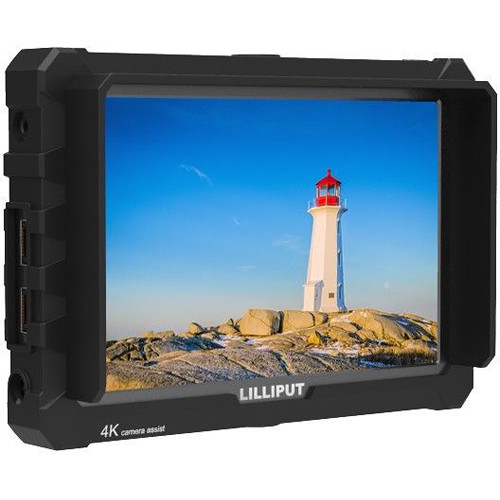
A budget‑friendly 7″ on‑camera monitor that gives mirrorless and DSLR shooters a crisp, full‑HD view of their footage with useful assist tools for focus and exposure. It uses a 1920×1200 IPS panel with about 500 cd/m² brightness and 1000:1 contrast for solid clarity and color across wide viewing angles. You get 4K‑compatible HDMI input and loop‑out, so you can feed 4K‑capable cameras and still view or share a signal while shooting. The monitor also includes essentials like peaking, false color, histogram, and image flip to help nail focus and exposure, plus two customizable function buttons to speed up common tools.
- Large 7-inch display with 4K input support
- Professional monitoring tools, including vectorscope and timecode
- Customizable F1/F2 function keys for quick access
- HDMI loop-through for multiple monitor setups
- Lightweight at 320g with durable construction
- Higher price point than smaller alternatives
- Sony F970 battery required (sold separately)
- 500 cd/m² brightness may struggle in bright sunlight
- Display: 7″ IPS Full HD panel, native 1920 × 1200 resolution (UHD/4K input compatible)
- Connectivity: HDMI 1.4 Input & Loop‑through Output (supports up to UHD 4K 30 fps)
- Brightness: 500 cd/m² high‑visibility screen
- Special Feature: Customizable F1/F2 function keys for shortcuts
- Monitoring Tools: Peaking, False Color, Histogram & Image Flip tools
- Audio Support: Built‑in mono speaker + 3.5 mm headphone jack
A 7-inch field monitor offering 4K HDMI input support and professional monitoring tools in a compact form factor. It features Full HD 1920×1200 resolution, customizable function keys, and comprehensive camera assist functions including timecode, vectorscope, and audio level meters for serious video production.
A pro‑level on‑camera monitor and recorder that turns your mirrorless or cinema camera into a high‑quality external capture rig without a bulky setup. It combines a bright 5.2″ 10‑bit HDR touchscreen with daylight‑viewable 1000 nits brightness and advanced monitoring tools like waveform, peaking, false color, vectorscope, and LUT support — all tuned for confidence on set. Unlike simple field monitors, the Ninja V records 4K 60 p video over HDMI in ProRes and DNxHR codecs (and ProRes RAW with select cameras), saving edit‑ready files to compact SSD or AtomX SSDmini drives. This bypasses many cameras’ internal compression limits and lets you capture cleaner, longer clips straight from the sensor.
- Records 10-bit ProRes/DNxHR directly bypassing camera limitations
- Bright 1000-nit touchscreen visible in daylight conditions
- Professional monitoring too,ls including waveform, vectorscope, and LUT support
- Eliminates recording time limits of most cameras
- Edit-ready files on affordable SSD media
- Higher price point requires SSD media investment
- Heavier than monitor-only alternatives at 360g
- Battery life requires backup power solutions for long shoots
- Connectivity: HDMI 2.0 Input & Output (monitor + recording)
- Recording: Up to DCI 4K 60 fps Apple ProRes / Avid DNxHR (HDR/SDR)
- Display: 5.2″ 1000 nit HDR capacitive touchscreen (1920×1080, 10‑bit)
- Special Feature: AtomHDR for real‑time HDR/Log monitoring + custom 3D LUTs
- Media: SSD recording to AtomX SSDmini or 2.5″ SATA drives
- Camera Support: Broad log & color profile support (Sony, Canon, ARRI, RED, etc.)
A 7-inch field monitor offering 4K HDMI input support and professional monitoring tools in a compact form factor. It features Full HD 1920×1200 resolution, customizable function keys, and comprehensive camera assist functions, including timecode, vectorscope, and audio level meters for serious video production.
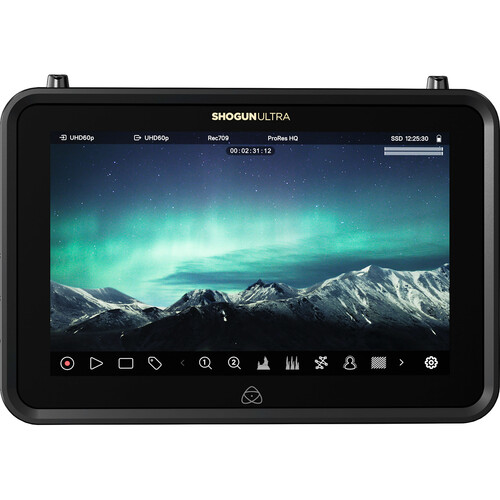
A pro‑grade 7″ monitor‑recorder built for filmmakers, hybrid shooters, and production teams who want high‑end capture, monitoring, and cloud workflow tools bundled into one device. It pairs a 2000‑nit HDR touchscreen with powerful recording codecs (ProRes, ProRes RAW up to 8K, DNxHD, and H.265) so you get edit‑ready files and accurate visuals on set without needing a separate recorder. Dual HDMI and 12G‑SDI I/O cover most camera rigs, while built‑in Wi‑Fi 6E, Gigabit Ethernet, and wireless sync support cloud‑connected workflows, remote viewing, and file sharing right from the field. The optional NDI TX upgrade lets you stream high‑quality video over standard networks — useful for live production or collaborative shoots.
- Ultra-bright 2000-nit HDR display visible in any lighting
- Records up to 8K ProRes RAW with multiple codec options
- Professional monitoring tools, including false color and waveforms
- Cloud connectivity enables camera-to-cloud workflows
- Dual recording capability for backup and proxy files
- Automatic camera integration with major brands
- Both HDMI and 12G-SDI connectivity options
- Compact design weighs only 730g despite professional features
- Premium pricing reflects professional-grade capabilities.s
- Requires additional storage media (SSD) for recording
- A complex feature set may overwhelm casual users
- Battery life requires planning for extended shoots
- Display: 7″ HDR touchscreen, 2000 nits brightness, 1920×1200 resolution for clear monitoring outdoors or in bright light
- Recording: Apple ProRes RAW up to 8K30, 6K60 & 4K120 plus ProRes, DNx and H.265 codecs
- Connectivity: HDMI 2.0 + 12G‑SDI inputs/outputs for broad camera support
- Network: Wi‑Fi 6E & Gigabit Ethernet for cloud workflows, streaming, and RemoteView
- Special Feature: AtomOS 11 with EL Zone exposure & ARRI false color tools
- Recording Media: Removable SSDmini/Master Caddy III/CFast II support
The Atomos Shogun Ultra is a top-of-the-line 7-inch HDR monitor-recorder built for serious filmmakers who demand unmatched brightness, precision, and connectivity. With 2000 nits of daylight visibility, 8K ProRes RAW recording, Wi-Fi 6E cloud integration, and pro-grade I/O options, it’s a powerhouse designed to elevate any production—though its advanced capabilities make it overkill for casual creators without high-end cameras.
YouTube Studio Budget Guide by Creator Level
| Creator Level | Starting Budget | Professional Budget | Premium Budget |
| New Channel (0-1K subs) | $200-500 | $500-1,200 | $1,200-2,500 |
| Growing Channel (1K-10K subs) | $500-1,200 | $1,200-3,000 | $3,000-6,000 |
| Established Channel (10K-100K subs) | $1,200-3,000 | $3,000-7,500 | $7,500-15,000 |
| Professional Channel (100K+ subs) | $3,000-7,500 | $7,500-20,000 | $20,000+ |
Budget Breakdown by Category
New Channel (0-1K subscribers)
- Audio: $150-300 (DJI Mic 3 or Audio-Technica AT2020 + interface)
- Lighting: $50-200 (Neewer 660 LED or single key light)
- Capture: $25-150 (Mirabox USB or Elgato Cam Link 4K)
- Monitoring: $0-200 (Use camera screen or budget field monitor)
- Boom Arm: $25-150 (InnoGear budget or Rode PSA1+)
Growing Channel (1K-10K subscribers)
- Audio: $200-500 (Rode Wireless Go III or Blue Sona)
- Lighting: $200-800 (Aputure Amaran 100x + modifiers)
- Capture: $150-400 (Elgato Cam Link 4K or basic switcher)
- Monitoring: $200-600 (Feelworld or Atomos Ninja V)
- Accessories: $100-400 (Quality boom arm, stands, cables)
Established Channel (10K-100K subscribers)
- Audio: $400-1,200 (Multiple mics, professional interfaces)
- Lighting: $800-2,500 (Multi-light setups with modifiers)
- Capture: $400-1,500 (Blackmagic ATEM Mini Pro + accessories)
- Monitoring: $600-1,500 (Professional field monitors or recorders)
- Studio Setup: $500-2,000 (Backdrops, acoustic treatment, furniture)
Professional Channel (100K+ subscribers)
- Audio: $1,000+ (Sennheiser EW 512P G4, multiple Shure SM7Bs)
- Lighting: $2,000+ (iFootage Anglerfish, multiple professional lights)
- Capture: $1,500+ (Advanced switchers, multiple capture devices)
- Monitoring: $1,500+ (Atomos Shogun Ultra, multiple displays)
- Complete Studio: $5,000+ (Professional acoustic treatment, furniture, redundant systems)