
DJI RS 5 Review: The Best Gimbal for Creators Just Got Better

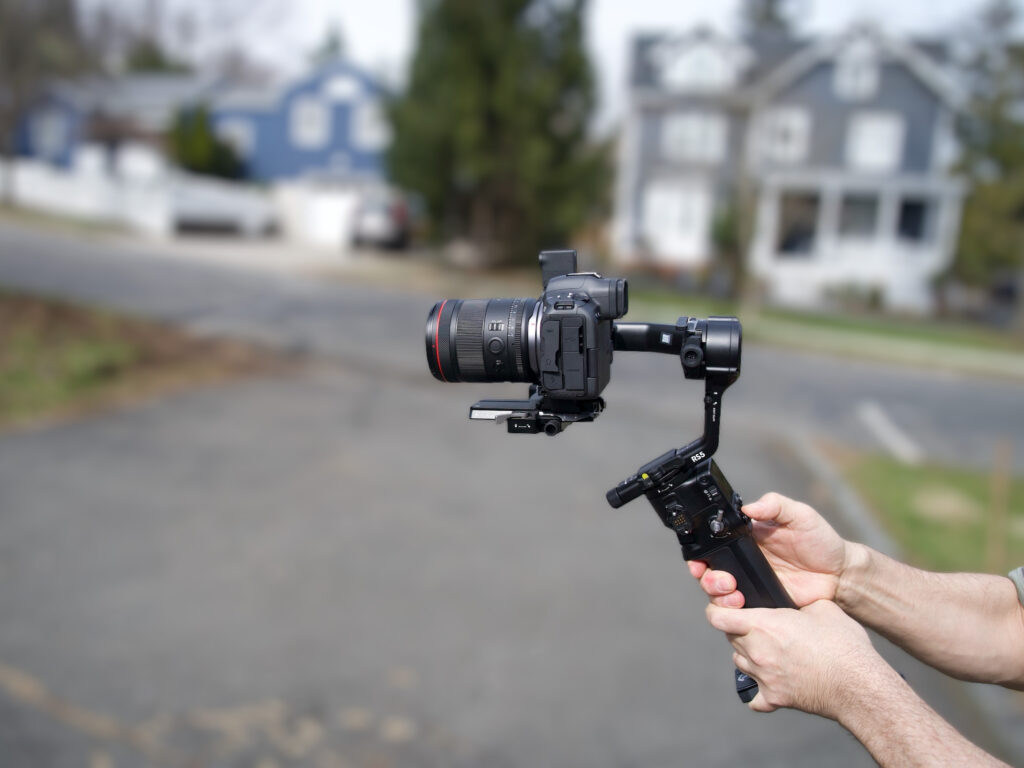
Table of Contents
 Design, Build, and Handling
The DJI Ronin RS 5 is the latest and best version of a gimbal lineup that’s been a staple of everyone from social media creators to motion picture camera operators. While the RS 5 adds some features to the previous RS 4, it’s more of an incremental upgrade and less of a full refresh.
That’s not a bad thing; the RS 4 has long been considered the best gimbal on the market for its target audience. Like the RS 4, the RS 5 can handle heavy camera setups, has smooth operation, and is easy to set up, but for owners of the RS 4, the upgrade might not be worth it.
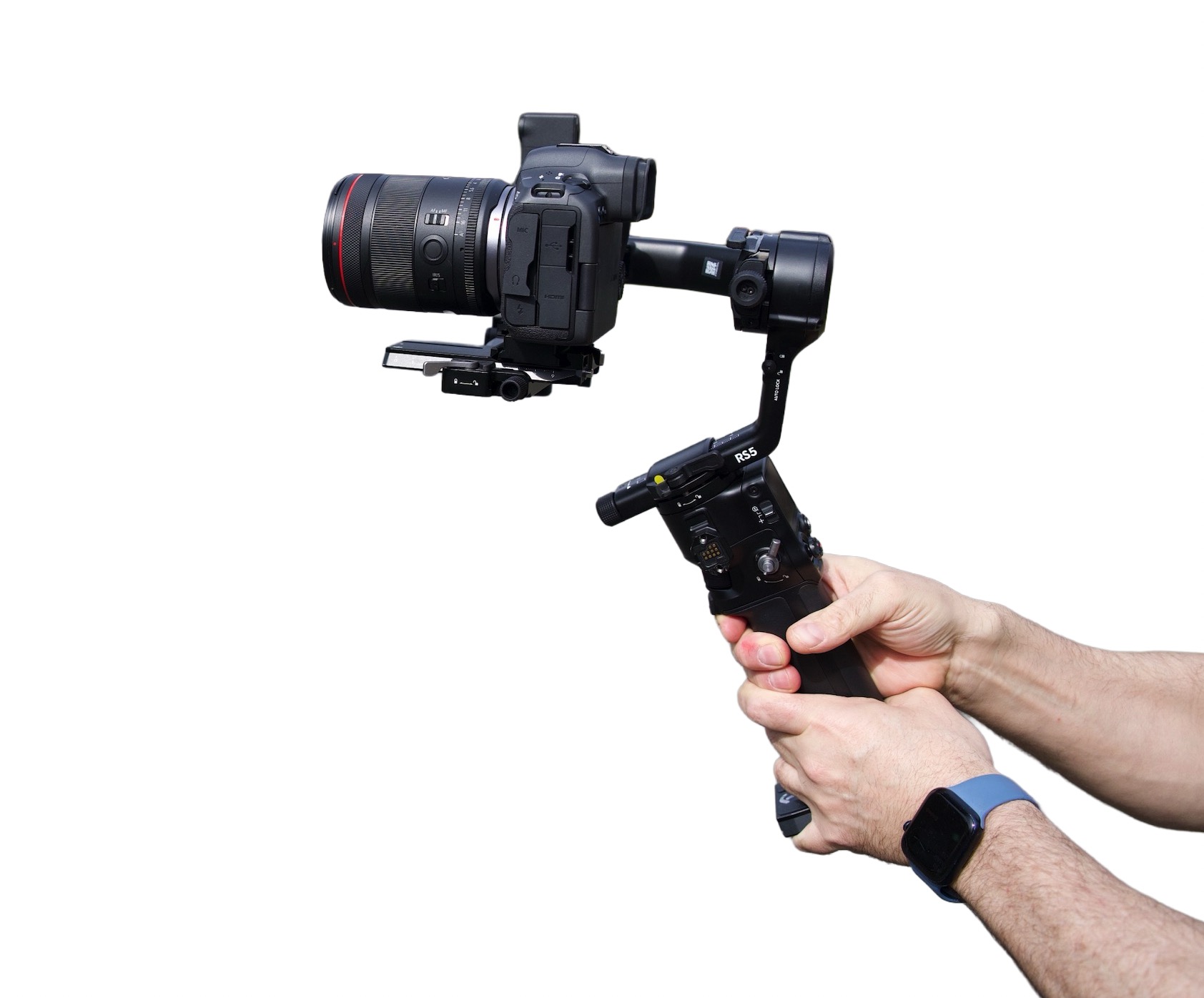
The DJI RS 5 is a professional single-operator gimbal designed for heavy mirrorless cameras and cinema rigs with payloads up to 3 kilograms (6.6 pounds). It brings meaningful workflow improvements over the RS 4 — particularly the per-axis fine-tuning knobs and the Enhanced Intelligent Tracking Module — and delivers the smoothest handheld stabilization I have used at this payload capacity. Battery life is exceptional. The briefcase handle, included in the Combo version, is nearly essential for heavy setups.
- Fine-tuning knobs on every axis make balancing faster and more precise
- Enhanced Intelligent Tracking Module works without a phone and tracks people, vehicles, and pets
- Electronic Briefcase Handle is genuinely useful for dynamic angle changes
- Quick camera orientation switch between horizontal and vertical
- Exceptional battery life — usable for hours daily across a full week of shooting
- Second-generation automated axis locks streamline setup and teardown
- Connects quickly to Canon, Sony, Nikon, Panasonic, and Fujifilm cameras via Bluetooth
- Heavy — difficult to use comfortably without the briefcase handle even with a lightweight lens
- Battery compartment is blocked by the camera mount, requiring camera removal to swap batteries
- Fine-tuning knobs require unlocking the axis slider, which can cause the whole assembly to shift
- Touchscreen is slow to respond to swipe inputs
- AI tracking parallax requires buried menu adjustments to fix
- Mandatory DJI account activation required after five uses
Design, Build, and Handling
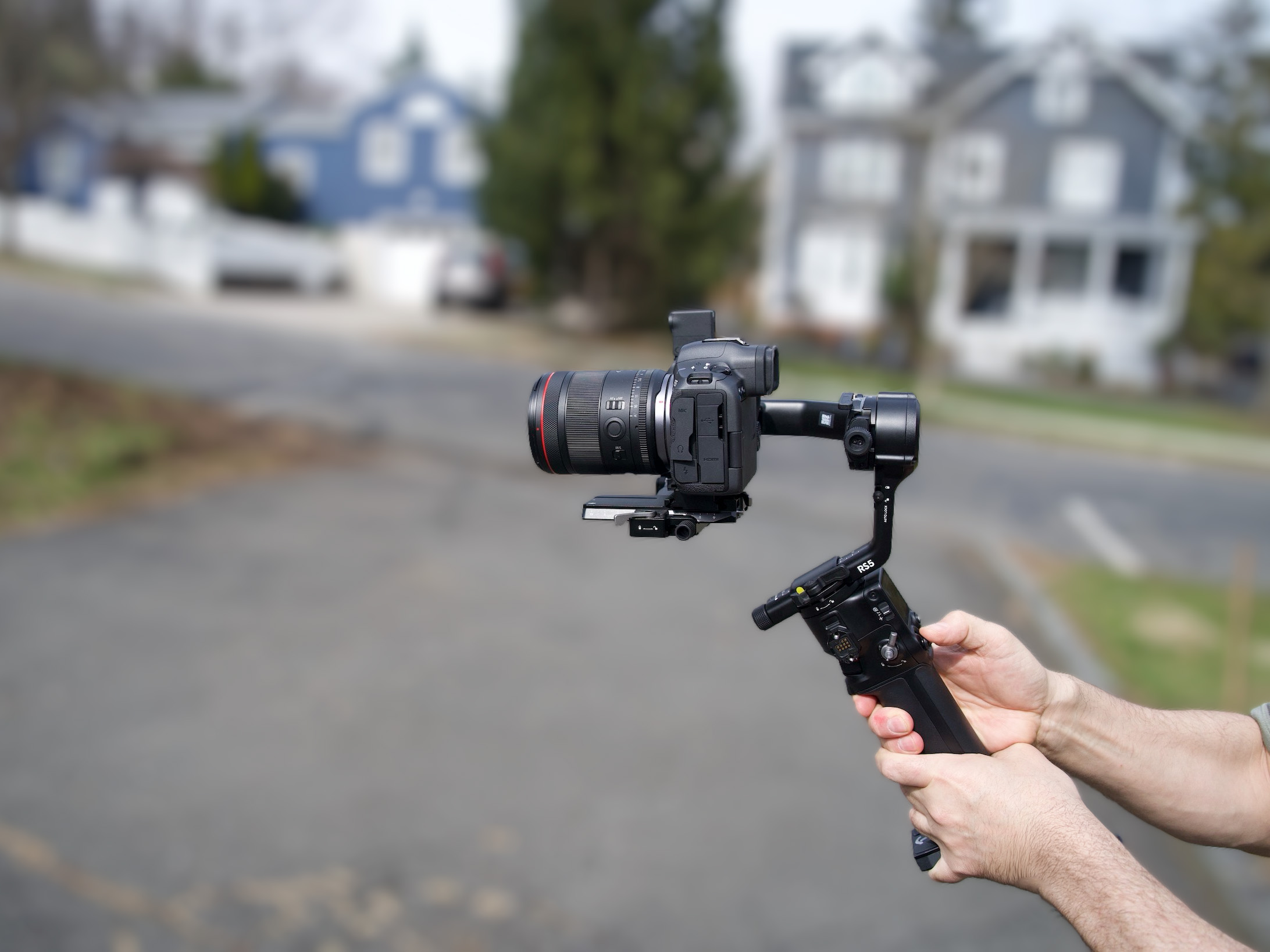
Like its predecessors, the Ronin RS 5 is a beefy, solid gimbal that can hold large camera setups, with a max weight of three kilograms (6.6 pounds). To put this into perspective, the Canon R1 weighs about two pounds, and the Canon 100-500mm lens weighs another three pounds. You could still add a mic setup and be under the weight limit.
The tradeoff for being able to support this much weight is the weight of the gimbal itself. At nearly 1200 grams (2.6 pounds), it’s a big, beefy gimbal. Six pounds of gear with three pounds of gimbal is a very heavy setup. Most people won’t pair the gimbal with a setup that’s three pounds, but a nine-pound setup is a lot to handle (pun intended)
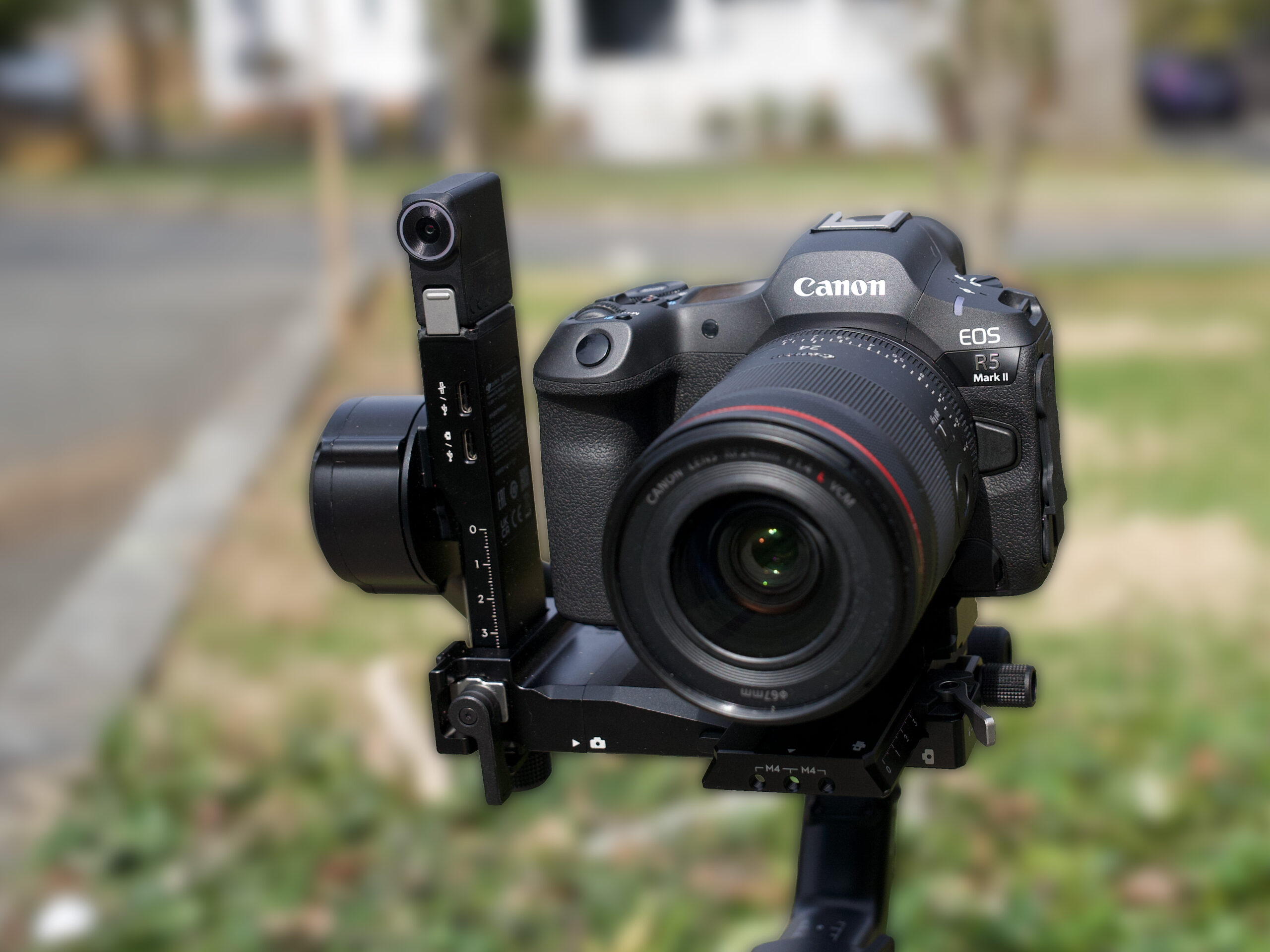
My primary testing setup was with a Canon R6 III and a Canon 24mm lens, which was pounds under the weight limit, and it’s still a bit much. The grip is especially beefy, and if you have small hands, it can be ungainly.
The RS 5 Combo Kit comes with a “briefcase” handle for more stable shooting, and I find the handle makes the system so much easier that I wouldn’t go without it. The handle is particularly useful when shooting tabletop setups or ground-level shooting, since it allows the gimbal to be used parallel to the table and very close to the surface. It’s the gimbal version of the benefits of having a tilt-screen on a camera when shooting low.
The handle also allows for more stable shooting when the player gimbal is upright. I used the handle to brace the RS 5 against my chest for more stable pans. The takeaway here is that the handle makes the shooting experience vastly better.
The RS 5 has massive gimbal arms, allowing for an impressive range of movement. The ‘pan axis’ is the part of the gimbal that lets the camera rotate horizontally a full 360º, meaning you can spin the camera all the way around. The tilt range allows the camera to move up and down between -112º and +214º. The roll axis rotates the camera from side to side, with a range of -95º to +240º. The RS 5 supports both ‘FVP’ mode, where all three axes follow the movement of the handle, and ‘360º rolls,’ which means the camera can spin completely around its forward-facing axis, creating barrel roll effects.
Five Strikes and You’re Out
Before I get too far into the review, I need to mention something that I’ve run into with most of the DJI products I’ve tested, not just the RS 5. DJI requires you to register the device after five uses, after which it locks you out until you do.
There’s simply no technical reason the gimbal needs to be registered to be used. Even firmware updates could be delivered without needing registration. You don’t have to register a camera or a lens to take photos with it, but a gimbal?
That’s a bad look for a company that has had its drones added to a list of devices banned in the U.S. because the government claims it is using them to spy on users.
I’ve raised this in other DJI reviews and will keep raising it until the policy changes.
Setup
No gimbal is easy to set up, at least it’s not for me. I always find myself going too far in each direction and spending a lot of time redoing what I’ve already done. The RS 5 comes with a small tripod, which is helpful because it would be impossible to adjust the gimbal without one. It’s pretty much the only use of such a tiny tripod, but the small size means you can carry it on location to dial back in when you change lenses.
The locking mechanism of the arms makes setup relatively easy, and one of the features added to the RS5 is fine adjustment knobs. In theory, these allow for tiny, precise movements of the axis arms, but there’s a catch, literally. In order to use the fine adjustment screws, the axis has to be completely unlocked. I found that unlocking the axis to use the knobs often resulted in the camera sliding freely down the arm.
DJI’s FAQ pages even mention not to use the knobs without unlocking the axis lock. I’d be happy to ignore this recommendation if the knobs turned when locked, but they’re locked down until the axis is freed. I developed a system of half-unlocking the arms and turning the knobs, but this is hit or miss.
In a nod to social media creators, a camera can be quickly switched from horizontal to vertical in only a few seconds. This quick-switch action is one of the best things about the RS 5, and for anyone making vertical content to complement their horizontal footage, this fast-change action is a huge time saver.
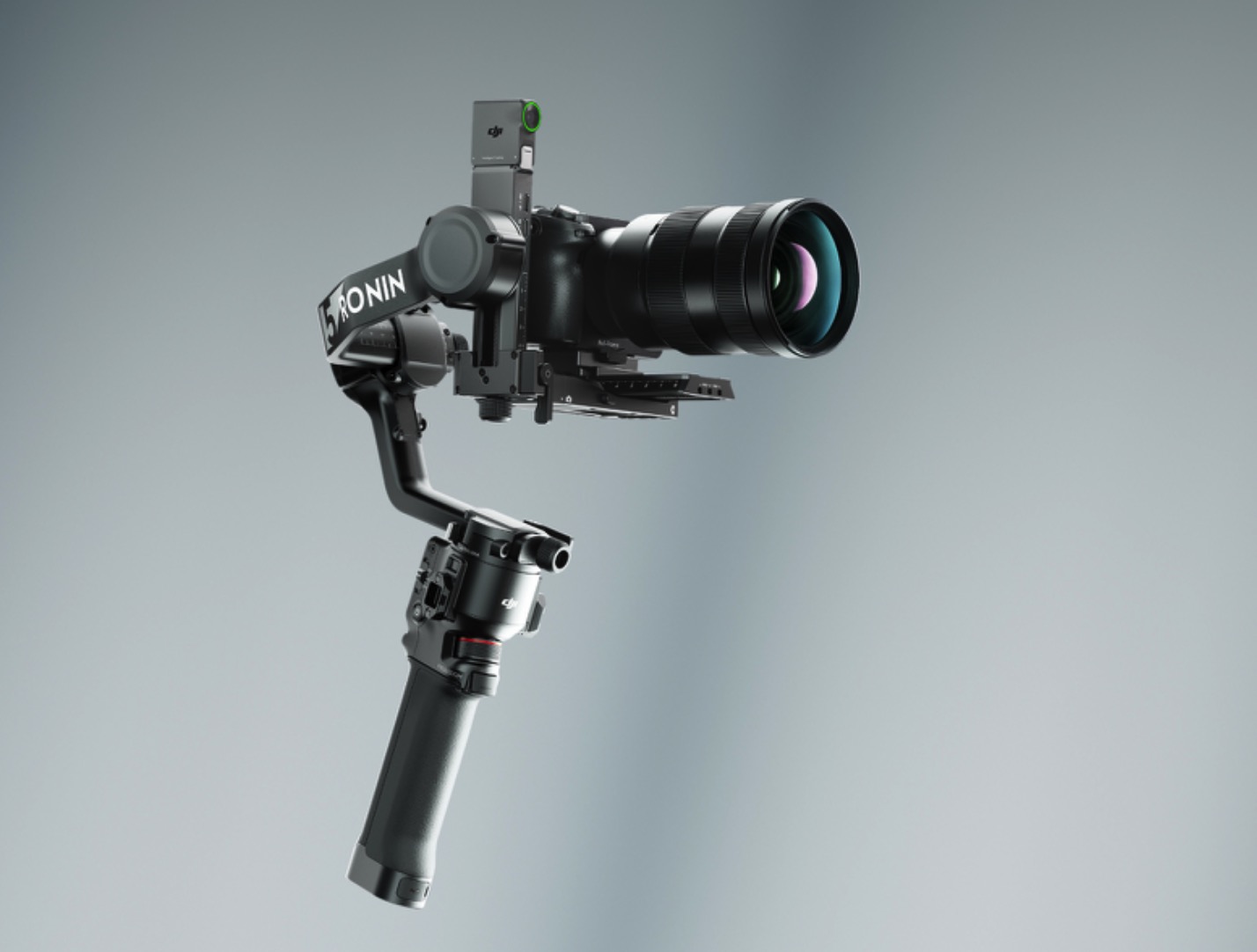
Depending on the camera and the location of its battery compartment, it can be difficult to swap batteries without taking the camera off the gimbal. Blocked battery or card slot access is a necessary evil of all gimbals since the arms of the gimbal need to surround the camera in order to allow it to pivot.
On the other hand, it’s actually easier to access things like battery ports on the RS 5 than smaller gimbals because there’s so much space on each arm. More compact gimbals are more cramped by nature, so at least the long gimbal axis arms allow for more access than on smaller systems.
The quick-release plate on the Ronin RS 5 allows the camera to be removed and remounted without having to re-adjust the arms. The plate fits perfectly into the gimbal, so there’s no way for it to be misaligned.
Auto Locking
When the RS 5 is powered off, the gimbal rotates all the arms back to their collapsed position and locks the arms into place automatically. Powering the gimbal back on automatically unlocks all of the arms, and the gimbal is instantly available for use. Not all gimbals have this automatic locking system, and on those, it’s necessary to manually lock or unlock the arms. I’ve missed shots on systems that require hand-unlocking of the axis, so the quick time from off to ready to shoot is a huge benefit of the RS 5.
Controls
The DJI RS 5 controls will be familiar to anyone who has used any of DJI’s gimbals. There’s a mode button, a record button, and the thumb-sized joystick. The RS 5 has a color touchscreen, particularly helpful with the tracking unit, which I will return to later.
Unlike the consumer gimbals from DJI, the rotation modes are changed by a switch on the side, instead of through the touchscreen menu system or the mode button. I actually prefer this system, and I wish it were the standard across the lineup. Flicking a switch to change settings prevents accidental changes.
The touchscreen is too laggy for a gimbal of this price. Sliding between modes requires a firm touch, and the response of the interface can be painfully slow. There’s a parallel here to the touch screens on cameras, where the first touch-capable screens were hard to actuate, but modern screens react to even light touches. I’d like to see a newer, much more sensitive screen on the next Ronin.
The thumb-sized joystick is another parallel to digital cameras. It’s relatively easy to move, but slow and smooth motion is hard to achieve with just a thumb control. There are gimbals that put joystick at the trigger position. I find these easier to use in some applications, but when shooting low with a non-electronic briefcase handle, it’s better to have the thumbstick.
I’m getting a lot better at matching small thumbstick movements to my gimbal shots, but I’m still redoing a lot of shots because I move the joystick too quickly or too slowly. I blame this on my father. He didn’t let me have video games when I was a kid, so I never really learned to use the right thumb for tiny, accurate movements. (When I play a first-person shooter, I run into the walls a lot.)
Massive Battery Power
The large grip is partially due to the huge battery performance of the gimbal. DJI claims 14-hour run times with a single charge, and while I didn’t operate the RS 5 for fourteen hours straight, I did use it for long stretches without turning it off. In one shot of a 3D printer chugging through an hours-long print, I left the gimbal on a tripod and left it powered on for the duration. Every few hours, I’d take the gimbal off its tripod and shoot some panning shots of the progress of the print, and then mount it back on the tripod.
After hours of use, the battery only dropped one of the status bars. Leaving a gimbal motionless for hours isn’t a good test of battery life, but I shot the gimbal handheld for several hours a day for multiple days in a row and never ran out of power.
Plugged into a small but decent USB power brick was enough to charge the battery while operating the gimbal, and the status lights blink faster when a more powerful charger is used and slower when charging from a less powerful brick.
Charging is incredibly fast, allowing the gimbal to be topped up between shoots without any worries about running out of battery. The gimbal charges faster per hour of operation than almost any electornic devices I have. Battery life is one of the most impressive features in the RS 5.
Enhanced Intelligent Tracking Module
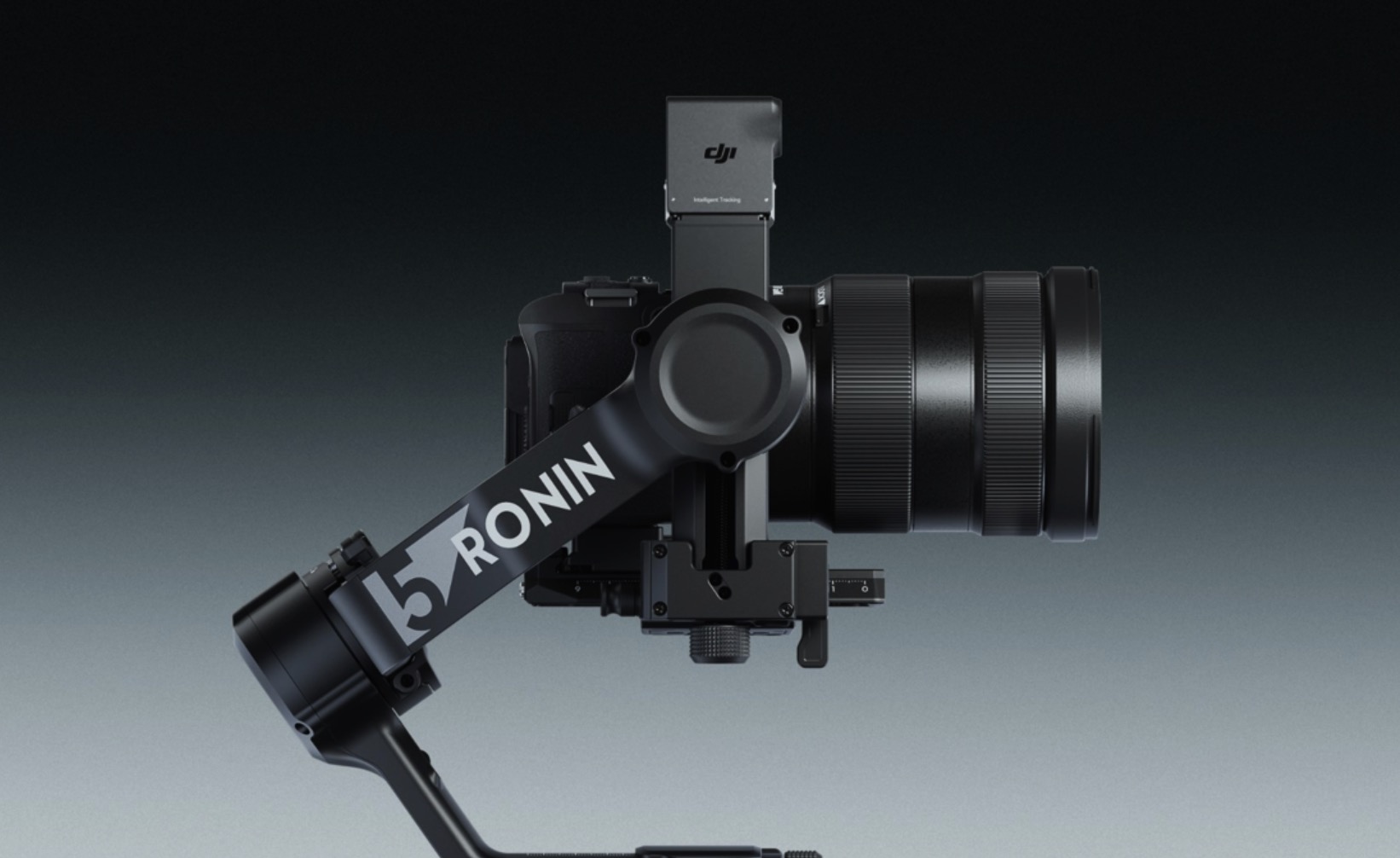
The DJI RS 5 comes with a tracking module, which was an accessory on the RS 4, and it adds a level of functionality that’s found on DJI’s consumer and phone gimbals and is sorely missing on pro-level gimbals. The intelligent tracking module allows the gimbal to follow subjects as they move, and can be controlled with hand gestures.
Connecting the tracking module to the gimbal turns the color screen into a monitor that shows the view from the module. Having used DJI’s consumer gimbals for years, as well as the Osmo Pocket 3, I was still surprised at how much more useful the gimbal is with the ability to see what you’re tracking without having to tilt a camera’s view screen, which can be awkward or impossible when capturing footage.
Because the module sits to the side of the camera, it essentially turns the gimbal into a rangefinder. I’ve seen many forum posts and videos about the parallax between the sensor and the camera lens, making it difficult to use.
Some complaints were addressed a bit by a firmware update, but the perceived problem is also solved through some menu options, which are unfortunately buried a few screens deep. By default, the several-inch offset of the sensor makes tracking difficult. If you’re using a long lens and trying to keep the subject in the frame, the parallax is enough to throw off tracking.
The tracking sensor has an intentionally wide field of view so that the “center” of its tracking area can be adjusted to match the lens. This capability is what most people miss. The menu settings make it possible to visually shift the field of view of the tracking sensor, the same way you can crop a photo to change what is in the center of the frame.
For example, when shooting with a 24mm lens in my YouTube studio, the left side of my camera’s framing was set to be just to the right of a door. The sensor had the left edge much closer to the middle of its framing. By adjusting the left edge of the tracking module to the side of the door, I ended up with the center of my lens lining up with the center of the tracker. All that’s needed is to shift the edge of the tracking module display so it lines up with the edge of the actual frame.
A second, equally hard to find menu setting changes the tracking from keeping the subject in the center to keeping the subject in the original position in the frame. If I position the subject just to the right of the doorframe and have them framed in my viewfinder to be at the edge of the frame, then tracking them in the center would result in a shot with the door clearly visible.
But by setting it to keep the subject in the original framing, it keeps the subject in a position relative to when the record button is pressed. If your subject is slightly off center, they will be tracked so they remain so. If they’re against the edge of the frame, the RS 5 will keep them framed there. As they move, the camera will track them so that they stay at the edge of the frame.
These choices should be accessible directly from the mode button or something like a triple-tap on the grip button. Jumping to the menu is cumbersome, but it’s not as problematic as not knowing the choices exist.
The tracking module makes the RS5 vastly more useful for solo creators. Since it’s possible to turn on the gimbal and walk around while being kept in the frame, it allows shooting that looks like the creator has a secondary camera operator. Videos appear more professional as the subject can move freely and not worry about walking out of a frame.
Some more consumer-oriented gimbals and drones come with an additional clip-on module that can be worn by the subject for precise tracking without any parallax issues at all. The camera tracks the wireless signal from the module, keeping it in the frame at all times. This would be a nice accessory to see for an RS 6.
The Whole is More Than the sum of its Parts, Mostly.
The DJI Ronin RS 5 is a fantastic gimbal, as was to be expected, as the Ronin series is already the benchmark for gimbals in this class. It offers refinements to operation and use, adds quality of life upgrades like the fine-adjustment knobs and the quick change from horizontal to vertical.
The RS 5 will now be the standard against which all other gimbals will be judged. If you need a well-rounded gimbal solution, the RS 5 is the best choice when it comes to features and operation.
But RS 4 users likely won’t find enough to justify replacing their gimbals. If they’re happy with the operation of the RS 4, things like the quality of life improvements probably won’t be justification for an upgrade. Internal improvements like better motors are only important if they find something lacking in the operation of their RS 4. Since tracking modules and the briefcase handle are available on the RS 4 as upgrades, most of what’s in the DJI RS 5 combo kit is already available.
The base RS 5 is around $570 currently, while the RS 4 is around $470. If I were in the market for a new gimbal, I’d drop the extra $100 for the RS 5, but for many users it’s going ot be a tough call. You get more from the RS 5 than the RS 4, but the lower price of the RS 4 now that the RS 5 has hit the market makes the older unit more compelling for budget-minded customers.
In short, the DJI Ronin RS 5 is the best gimbal on the market for its target customers. It takes the combo kit to unlock the best of what it has to offer, but if you’re sticking professional camera gear onto it, the RS 5 is the gimbal that matches the quality of the camera.
I would love to see a more refined touchscreen, but that’s my chief complaint. There is very little on the Ronin RS 5 that would keep me from recommending it, while the small changes to internal design and external operations end up making this a more compelling product than it looks just from the spec sheet.
The fact that it has incremental improvements over the RS 4 shows how DJI has always been focused on giving customers the best tech possible, but it also shows that gimbal design doesn’t have much more headroom for feature development. DJI has been ahead of the competition for so long that all they have left to do now is tweak their designs.
That’s good news for customers of the last generation of DJI’s Ronin series and for customers of this newest industry-leading flagship as well.