
Comparing 6 Best AI Photo Enhancers for Realistic Details

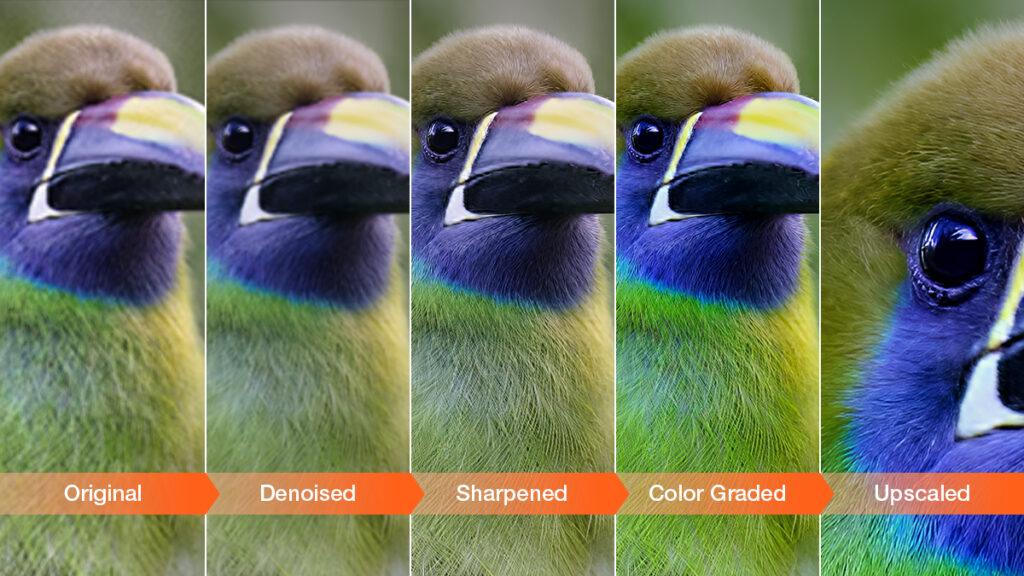
Table of Contents
-
 How to Upscale and Enhance Images with Realistic Details
 -
Case Study 1: Upscale Cropped Bird Photos with Details
-
Case Study 2. Reduce Image Noise without Smearing Details
-
Case Study 3: Restore Old Photos and Fix Blurry Faces
-
Case Study 4: Enhance Architecture Photos with Sharp Details
-
More Options: AI Photo Enhancers for Versatile Needs
-
Lightroom – Enhance Details as Part of the Developing Process
-
Upscayl – Free Photo Enhancer for Non-Commercial Tasks
-
Remini – Quick Mobile Workflow for Photo Restoration
-
Magnific AI – Rebuild Details with Creative Upscaling
-
Waifu2x – Best for Anime and Illustration
-
Wrap Up
Photos do not always hold up over time or at larger sizes. Old images can appear blurry, web downloads may suffer from compression artifacts, and good shots can become soft when cropped. AI photo enhancers are designed for these situations, helping upscale image quality, improve sharpness, and restore more details.
Still, differences in design, AI framework, and tool focus lead to variations in workflow, output quality, and overall performance. I tested 6 tools across various scenarios, and the best AI image enhancer ultimately comes down to what fits your needs and preferences.
How to Upscale and Enhance Images with Realistic Details
Before deep-learning AI models, traditional tools relied on pixel stretching and sharpening for “perceived” detail, which often shows artifacts and blurriness up close. Now AI tools like Aiarty Image Enhancer can restore more natural details while upscaling image quality, that’s where my testing starts, with more apps compared below.
You can get free trials from Aiarty Image Enhancer to compare quality enhancements. If it fits your needs, here’s a special deal to claim a 49% off lifetime license ($79 now, originally $155) for full features, free updates, and no hidden fees.
Case Study 1: Upscale Cropped Bird Photos with Details
Watching a kingfisher capture its fish is one of the best moments for birders and photographers, and it would be a pity if the bird takes only a small part of the frame, far away from the viewer.
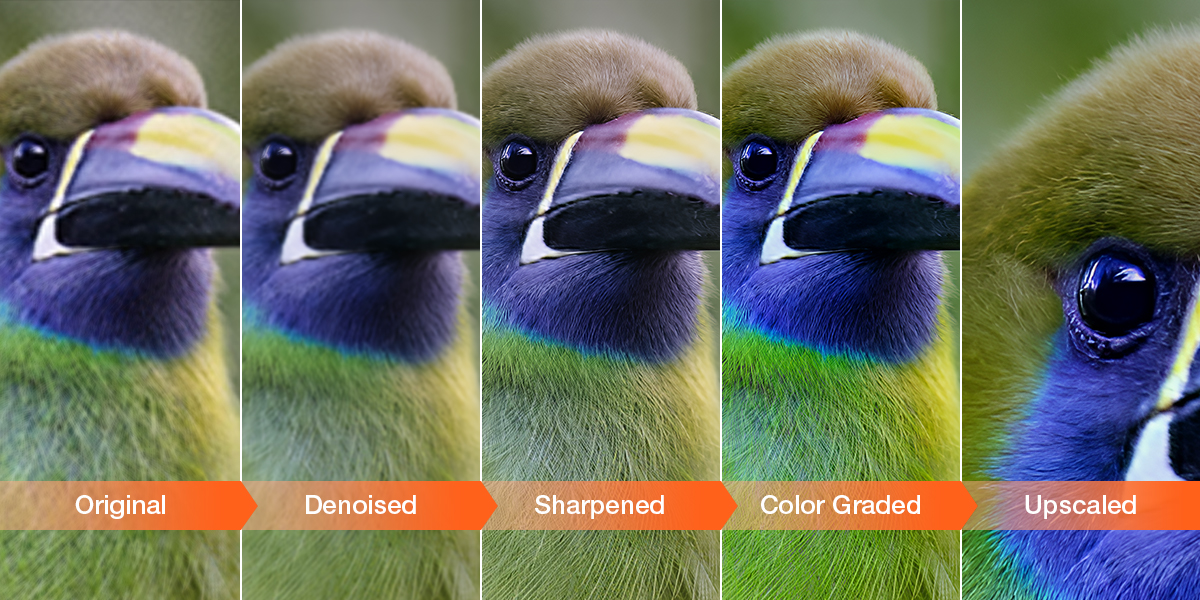
Cropping helps create an impactful visual, but it often results in noticeable sensor noise, blurriness around the edges, and less visible feather details.
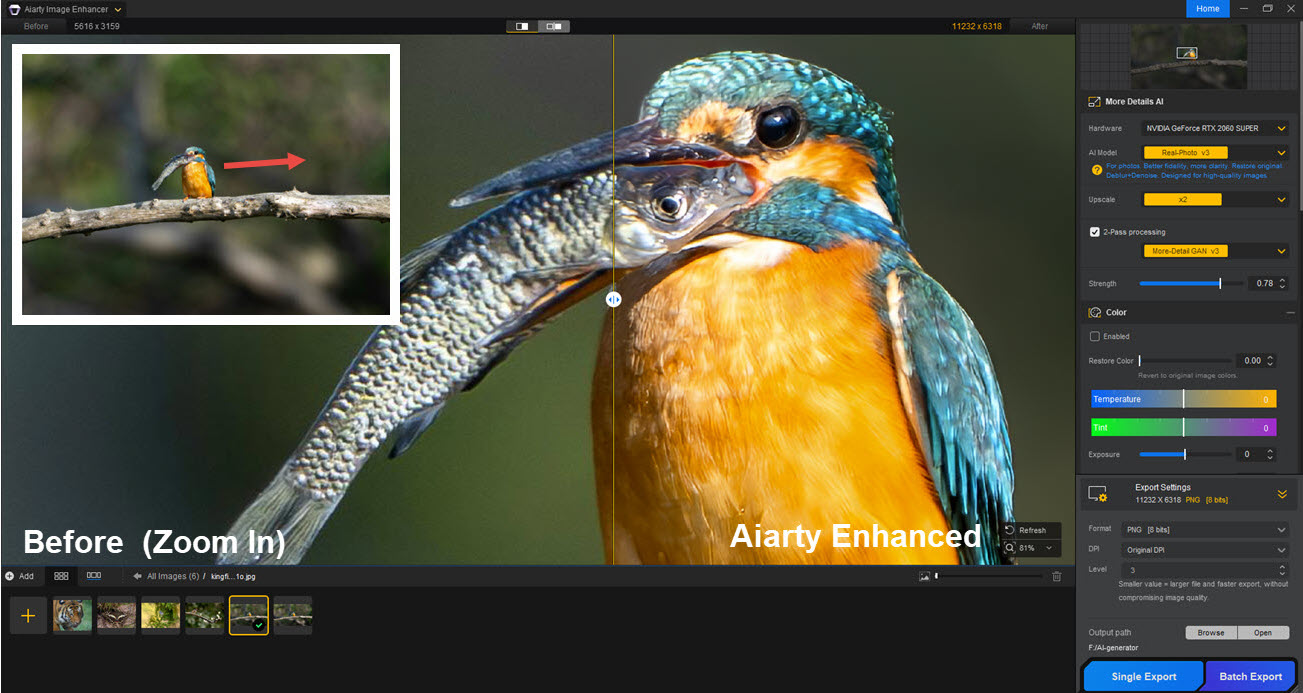
That’s when Aiarty Image Enhancer helps to enhance wildlife photography with natural details. It gives you the cropping freedom to re-composite a close-up bird photo, upscaling images by x2 or higher with AI models, or stay with original resolution and enhance overall quality.
You can compare and inspect the details in Aiarty, as shown in the screenshot above: high ISO noise is removed, the feature details are restored naturally, and the bird’s eye is in sharp focus.
Case Study 2. Reduce Image Noise without Smearing Details
I love the convenience of compact cameras for capturing daily life. Still, for low-light scenes and indoor gatherings, it struggles with small sensors, slow lens, and inherently high ISO noise and color speckles.
Some traditional tools may apply aggressive denoising over faces, and sharpen edges to trick your eyes for fake clarity, but it results in ringing artifacts and a waxy look.
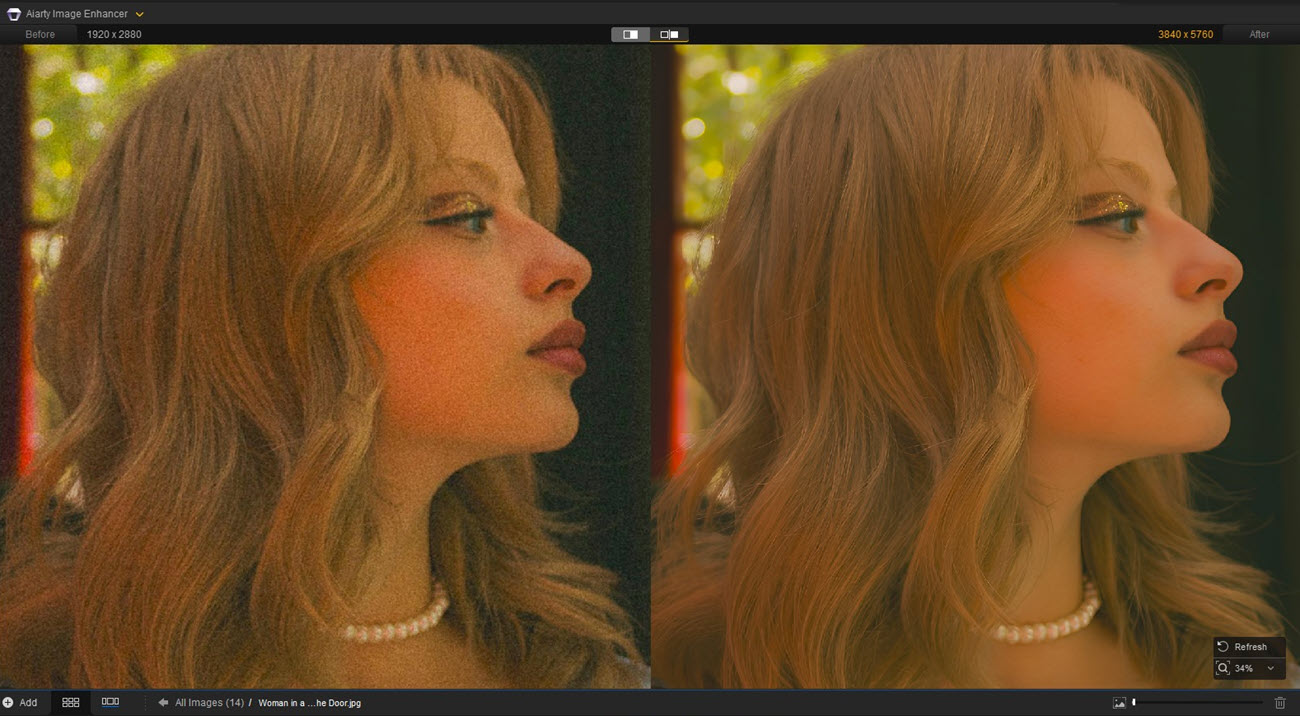
For more natural denoising and detail restoration, AI models in Aiarty Image Enhancer can distinguish distracting noise from high-frequency skin textures, reduce unwanted artifacts while restoring lifelike details for faces and fabric textures, or keep some good “film grains” with a lower enhancement strength.
Case Study 3: Restore Old Photos and Fix Blurry Faces
For low-resolution, blurry images, scanned photos, or web downloads of legacy family albums, an AI image enhancer like Aiarty helps bring back precious memories with better clarity.
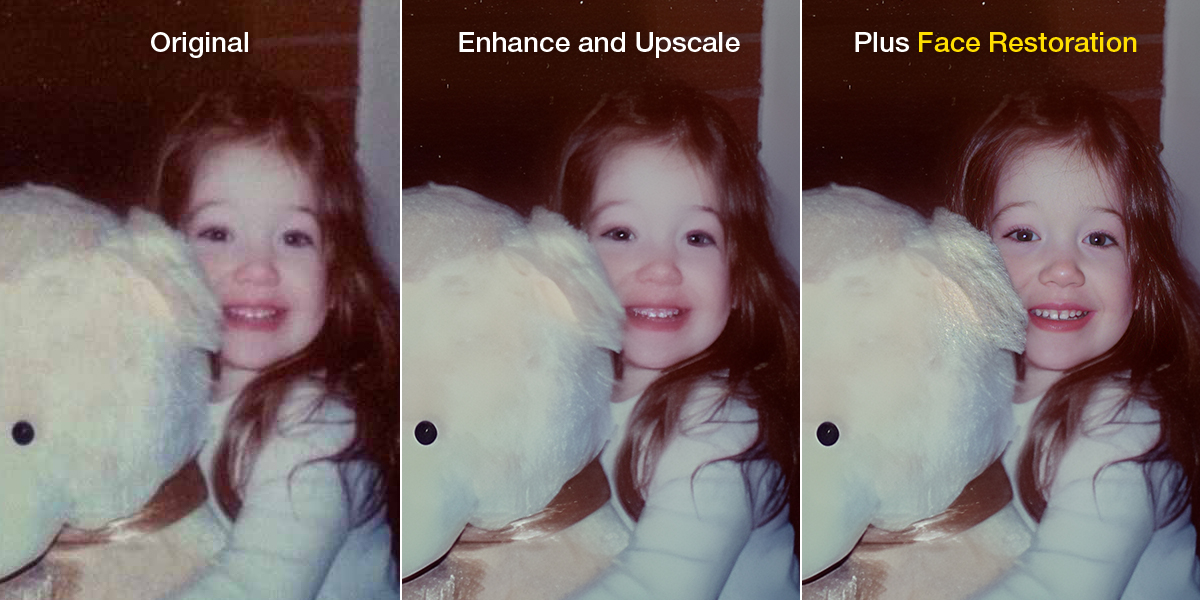
During my tests, the standard AI models offer an instant quality boost, with a real-time preview to switch and compare models. For certain photos, especially those heavily compressed or blurry portraits, toggling the built-in Face Enhancer tool for an additional improvement can deliver sharper details.
Case Study 4: Enhance Architecture Photos with Sharp Details
For street photos, real estate, and architecture shots, wall details and building edges can become blurry on a 4K display or for billboard prints. During my tests, Aiarty Image Enhancer can restore clarity to buildings with sharper edges, cleaner lines, and intricate textures.
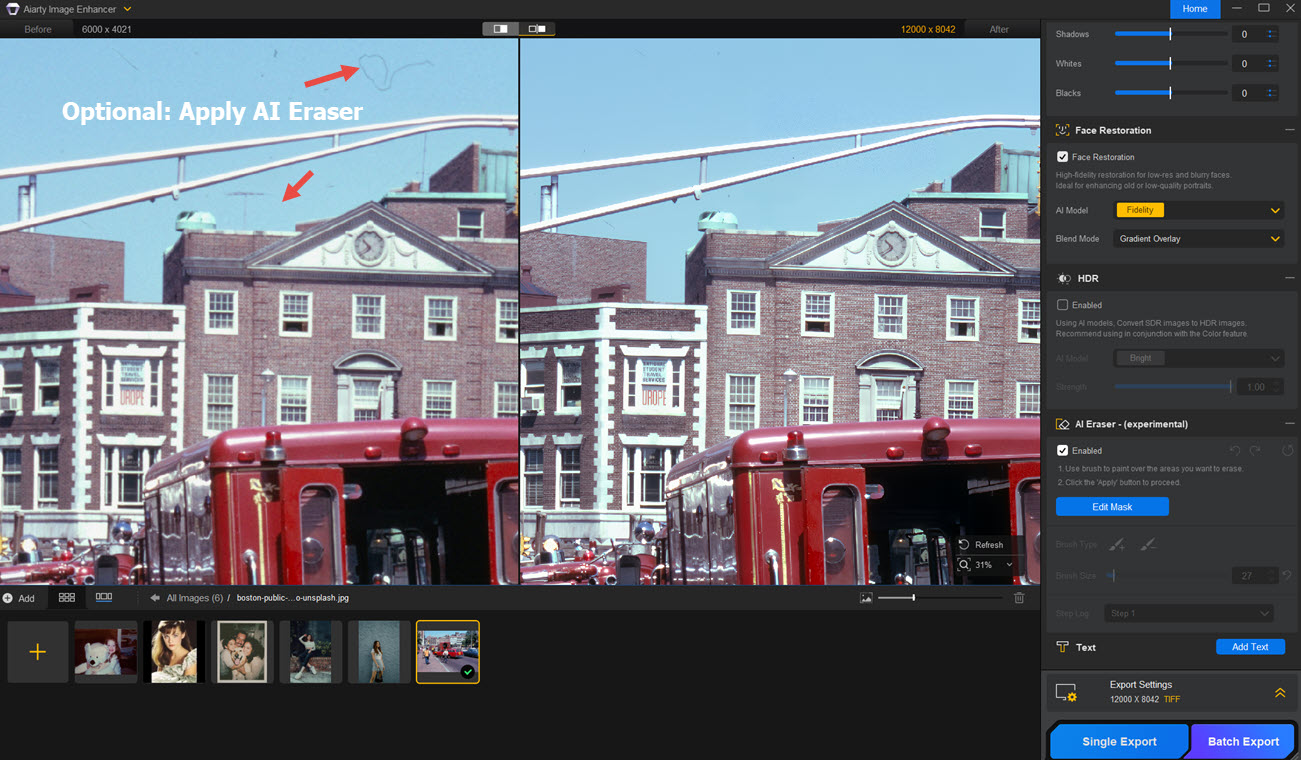
For historical photo scans and retro archives, you can also enable Aiarty’s built-in eraser to remove unwanted objects. Simply brush over problematic areas to clean up the image. Edits are non-destructive, as you can revert editing to enhance resolution only.
More Options: AI Photo Enhancers for Versatile Needs
Aiarty Image Enhancer is an intelligent photo enhancer for natural details. It helps reduce image noise, upscale resolution, and fix blurry, old photos. As shown in the tests above, the enhanced images maintain natural clarity without a waxy look or over-sharpening.
Besides Aiarty Image Enhancer, here is my hands-on experience with other free and paid AI image enhancers. You can take a glance at the comparison chart below. The choices really come down to your image types, workflow, preferences for better fidelity or creative upscaling, platforms, hardware capability, etc.
| Image Enhancer | Platform | Pricing | Commercial Use |
|---|---|---|---|
| Aiarty Image Enhancer | Windows, Mac | Free trial, lifetime license | Yes |
| Lightroom | Desktop, mobile app | Subscription | Yes |
| Upscayl | Local GUI | Open Source | For some models |
| Remini | Mobile app | Subscription | Yes |
| Magnific AI | Online | Subscription | For some plans |
| Waifu2x | Online/Local GUI | Free | For some versions |
If you prefer to avoid subscription-only apps, here is a nice chance to unlock lifetime license from Aiarty with a special offer.
49% off Lifetime License Offer from Aiarty
You can grab a Lifetime License for $79 (49% off) of Aiarty Image Enhancer for both commercial and personal projects. Enjoy free updates for life, a 30-day money-back guarantee, and flexible device set-ups:
- Cross-platform (1 PC + 1 Mac) – $79 for lifetime
- Windows (3 PCs) – $79 for lifetime
- macOS (3 Macs ) -$79 for lifetime
Lightroom – Enhance Details as Part of the Developing Process
Lightroom has photo quality enhancement and upscaling features built in, working nicely for users inside its ecosystem from photo culling and management to editing, color grading, restoration and enhancement.
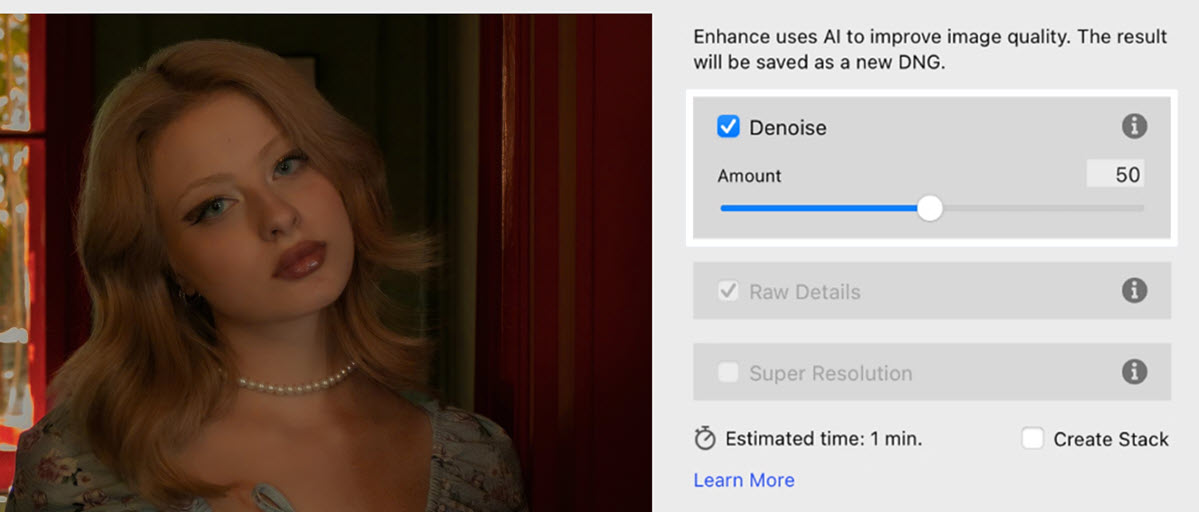
For JPG and PNG files, I really enjoy the seamless workflow from photo rating to further editing in LR. In its Enhance dialogue box, there are options to fix grainy images, toggle Raw details, and apply Super Resolution.
For a large batch of RAW files, sometimes I also resort to a standalone AI image enhancer like Aiarty for the initial pass of noise reduction, export raw, and then combine with the Lightroom workflow.
Upscayl – Free Photo Enhancer for Non-Commercial Tasks
For users familiar with open-source model installation, Upscayl acts as a handy GUI for general photo quality enhancements. In testing, it handles 4x upscaling well for both photos and anime, depending on which model you are using. I typically go with Real-ESRGAN for general purposes, Remacri for photos, and digital-art-4x for wallpapers. For higher resolutions and batch processing, it is recommended to run on a Vulkan-capable GPU.
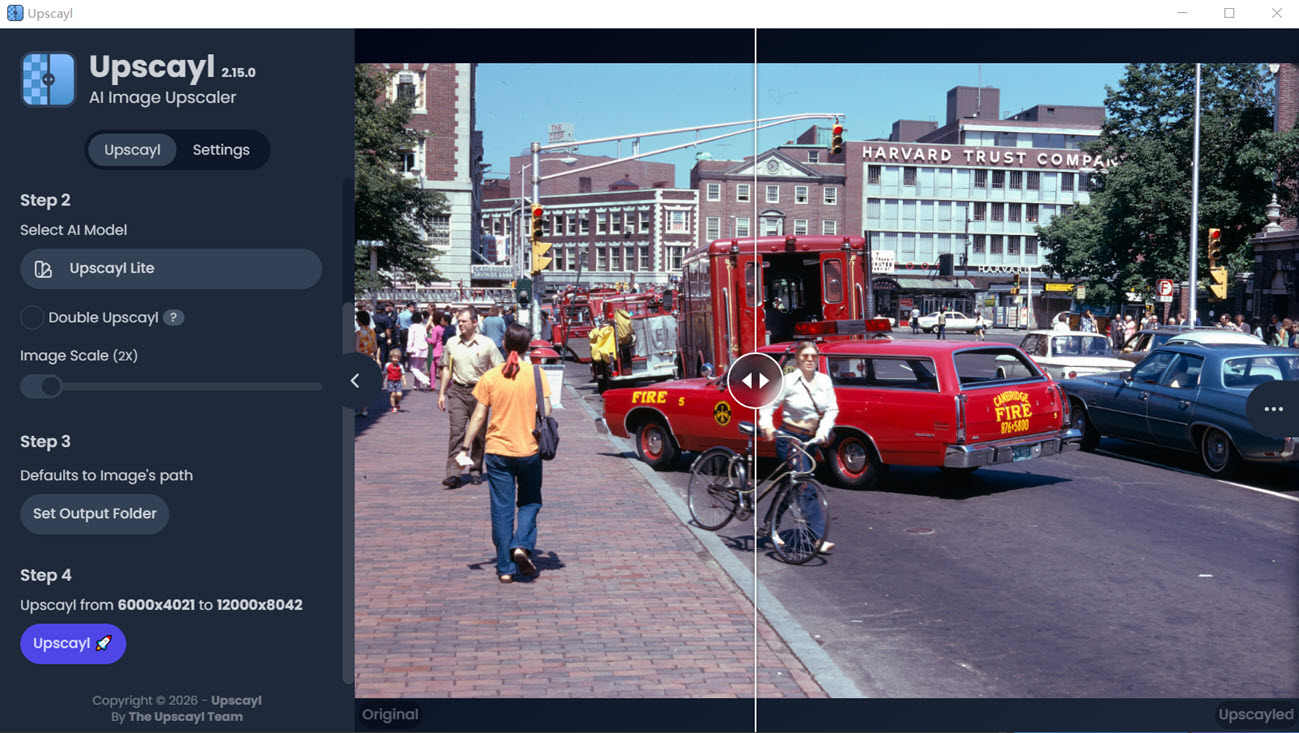
If you don’t see a noticeable quality difference after upscaling in Upscayl, it is probably due to vulkan issues, wrong models, or the source images are heavily compressed.
Note: For professional usage, note that Remacri, Ultramix, and Ultrasharp are non-commercial models. For downloaded custom models, make sure to check the commercial licensing issues.
Remini – Quick Mobile Workflow for Photo Restoration
If you prefer a mobile-only workflow, from taking photos, enhancing quality, to social media posts, Remini for iOS and Android is one of the best AI photo enhancement apps. It helps reconstruct and invent details, with 2x upscaling and quality fixes.
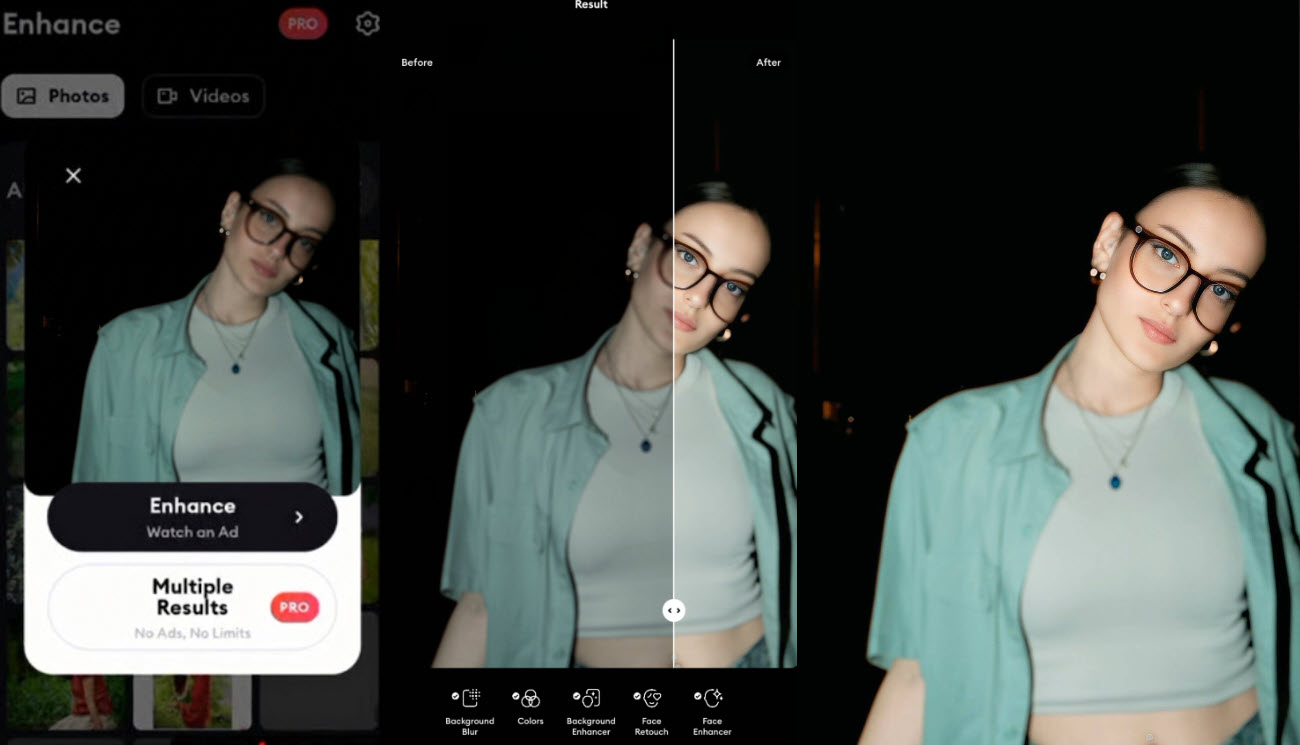
Remini offers automatic portrait improvements with facial reconstruction, and also supports old heritage photo restoration or generating AI headshots.
Magnific AI – Rebuild Details with Creative Upscaling
For photos or digital art, some users care less about the original artistic style or photo fidelity. Creative upscaling as such will generate textures and add new image details, which may also transfer image styles. If this is what you are aiming for, then Magnific AI remains a nice option for hallucinated detail enhancement.
Alongside 2x-16x image upscaling, it will rebuild details from AI models, generate more textures, adding textures to portraits, landscape photos, and digital art.
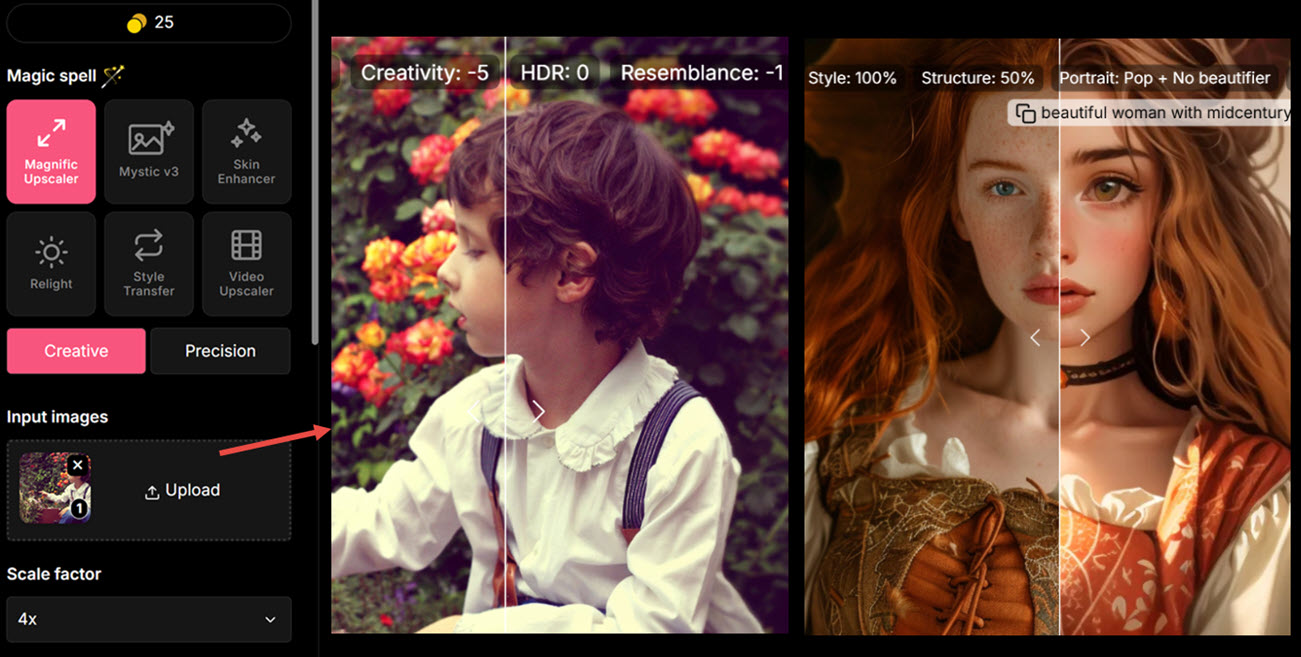
You can dial the slider for creativity, resemblance, and fatality. These settings decide how much “hallucinated” details are added, how close the output resembles the source image, and how strongly your prompts affect creative upscaling.
Waifu2x – Best for Anime and Illustration
Waifu2x is a popular online AI image upscaler and photo enhancer. Initially designed for anime and illustration types, it also offers the real photo option. This online tool supports Max. 5MB uploading per image, with 1.6x, 2x, and 4x upscaling options, and different levels of noise removal.
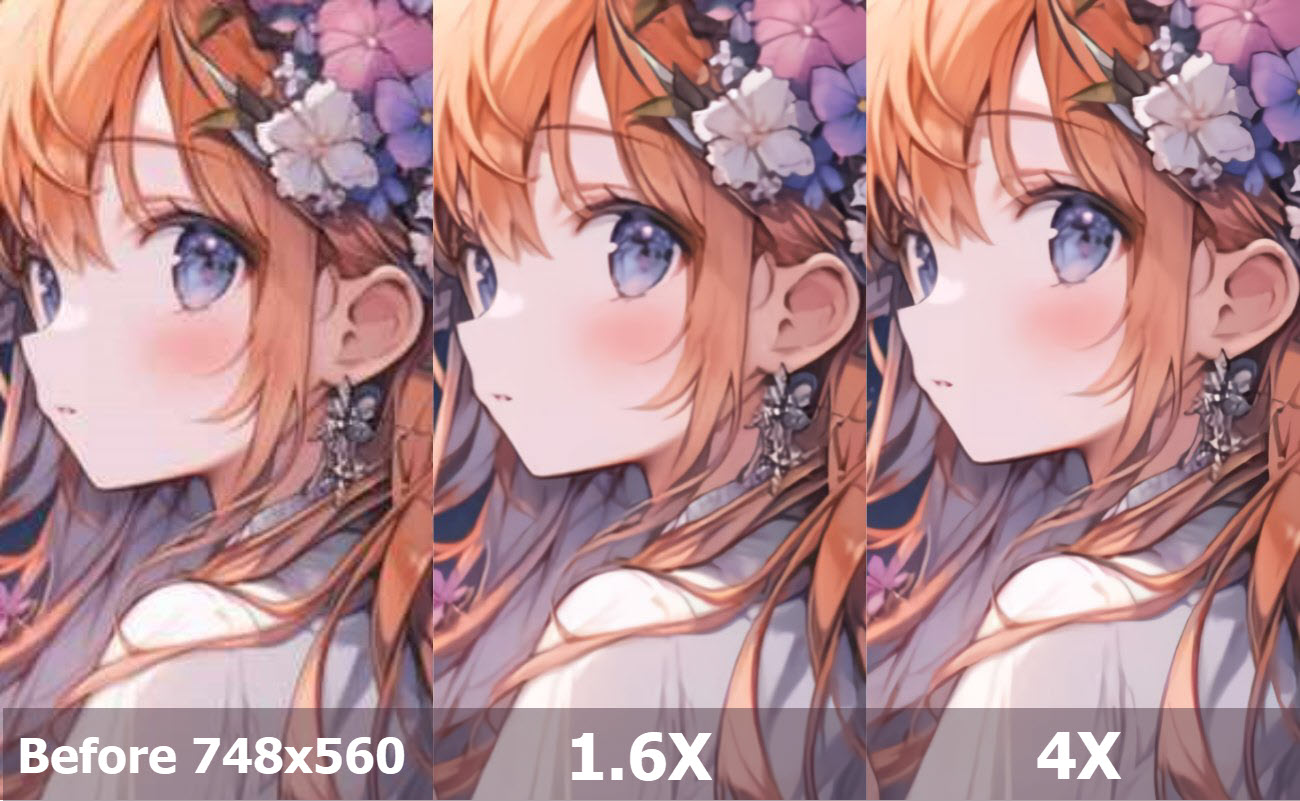
For 4X large upscaling, Waifu 2x will direct you to a dedicated page, with more options for model, tile shuffle, and TTA settings. For this anime image, I stick with the settings for swin_unet/art Model, medium DeNoise, 4X upscaling, and default tile and TTA.
Hit Start and wait for the program to “paint out” the upscaled anime tile by tile. For large upscaling, wait for the browser to process the image, such as from (1/221) until (221/221), then right-click to save it to the local device.
Note: If you prefer batch processing multiple images, you need to repeat uploading and downloading images from Waifu 2x. Currently, its online interface works for one file each time.
Wrap Up
AI photo enhancers can work as a practical extension of your workflow, or finish the entire job from start to finish. For secure local processing and natural detail restoration, Aiarty Image Enhancer stays a competitive option to upscale image quality, fix blurry, flawed photos, and enhance color and lighting.
Lightroom is suited for culling, editing and overall adjustments, Remini and Magnific AI for retouching and stylized upscaling, Upscayl for personal projects, and waifu2x remains a quick online choice for illustration and anime.