
DxO PhotoLab 9 AI-Powered RAW Editing That Actually Respects Photographers

There is a battle for the title of best raw editing software, though it’s a battle you might not be aware of. Desktop photo editors keep throwing new features into their tools, though many of those tools are either underpowered or send your images into the cloud to be used for the training of AI systems.
DxO PhotoLab is quietly at the forefront of this image editing war thanks to its precise editing tools and custom adjustment profiles based on hand testing more than 100,000 camera and lens combinations.
DxO Photo Lab 9 Review, and Exclusive DxO Savings Using Code “ImagingResource” at checkout. Happy Holidays from DxO and Imaging Resource
See Below For Full Details or visit https://shop.dxo.com/en/
This article is sponsored by DxO.
DxO PhotoLab 9, The Raw Software You Didn’t Know You Needed
DxO Photolab 9 and the recent 9.2 update bring powerful AI-based masking and adjustments that work locally on your computer, without sending your data to the cloud. Photolab 9’s AI tools are more precise and more sophisticated than anything else on the market, and you don’t risk having your images used by the company that makes your photo editing software for their own profit.
And unlike subscription models, PhotoLab uses a perpetual license with a perpetual license. Buy once, use forever—unlike some of the better-known photo editing apps.
DxO Holiday Sales
From now until January 6, 2026, DxO is offering exclusive savings for Imaging readers using the discount code “ImagingResource” at checkout. With the purchase of one title, you can get 15% off, and with the purchase of 2 or more titles, you can get 20% off, with an additional 5% off titles from their lineup with the discount code.

The discount applies to both new purchases and upgrades across their entire product range, including PhotoLab 9, PureRAW 5, Nik Collection 8, FilmPack 8, and ViewPoint 5. This makes it an ideal time to expand your photo editing tools if you’ve been considering multiple DxO products.
DxO’s full range of software is designed for the photographer who wants the absolute best in image editing, and this sale really allows you to up your photo editing game.
Every purchase during the promotional period also includes free DxO Premium Support, which provides 24/7 access to their expert technical team via a dedicated ticket system with accelerated response times and personalized guidance.
The duration of free support depends on your purchase amount: orders under $100 receive three months free, orders between $100 and $200 get six months free, and orders over $200 include a full year of Premium Support. This combination of significant discount and extended expert assistance really shows DxO’s commitment to customers. It doesn’t just sell software, but it supports its software and the photographers who use it.
What Makes DxO PhotoLab Different From Other RAW Editors
Before diving into what’s new in version 9, let’s talk about what makes PhotoLab stand out from competitors. One of the biggest advantages of using DxO PhotoLab is that it’s built around the company’s legendary lab-tested camera and lens combinations.
Shooting a Canon R6 III and the Canon RF 24-105 f/4? Or maybe the Nikon Z50 II and 16-50mm f/3.5-6.3 lens? How about the Sony a7R V and Sigma 200mm f/2?
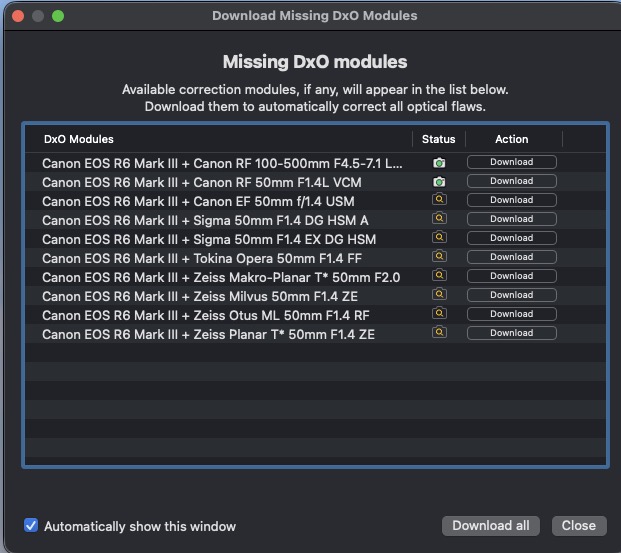 For each of these combinations (and 100,00 more), DxO has measured the characteristics (and shortcomings) of these specific setups by putting the camera and lens on their testing benches and measuring the actual image characteristics. No other software in the world has ever done this because no other company performs anywhere close to this level of product measurement and analysis.
DxO PhotoLab 9 AI Masks: Intelligent Selection That Actually Works
The headline feature in PhotoLab 9 is the AI masking system, and for good reason. Unlike some AI tools where AI masking feels like a marketing gimmick, these masks solve real workflow problems.
You can create masks in three different ways. The hover-and-click method lets you select objects by clicking different parts of your image. Want to select just someone’s hair? Just click on their hair. How about adjusting only the body of an animal? Simply click on it. You can select people, faces, hair, clothing, animals, vehicles, and more.
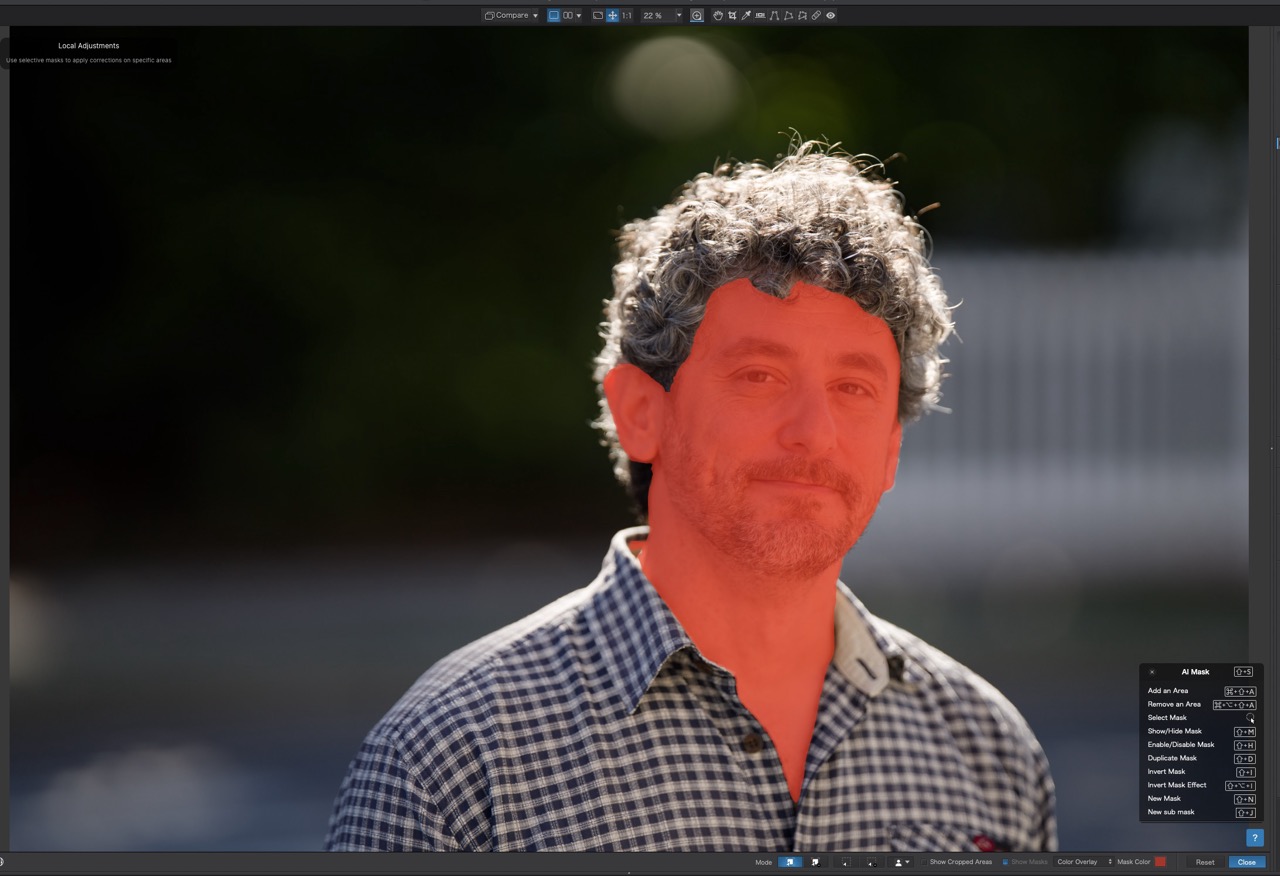
Quickly mask and adjust faces, hair, eyes or other small details with a single click. ©David Schloss
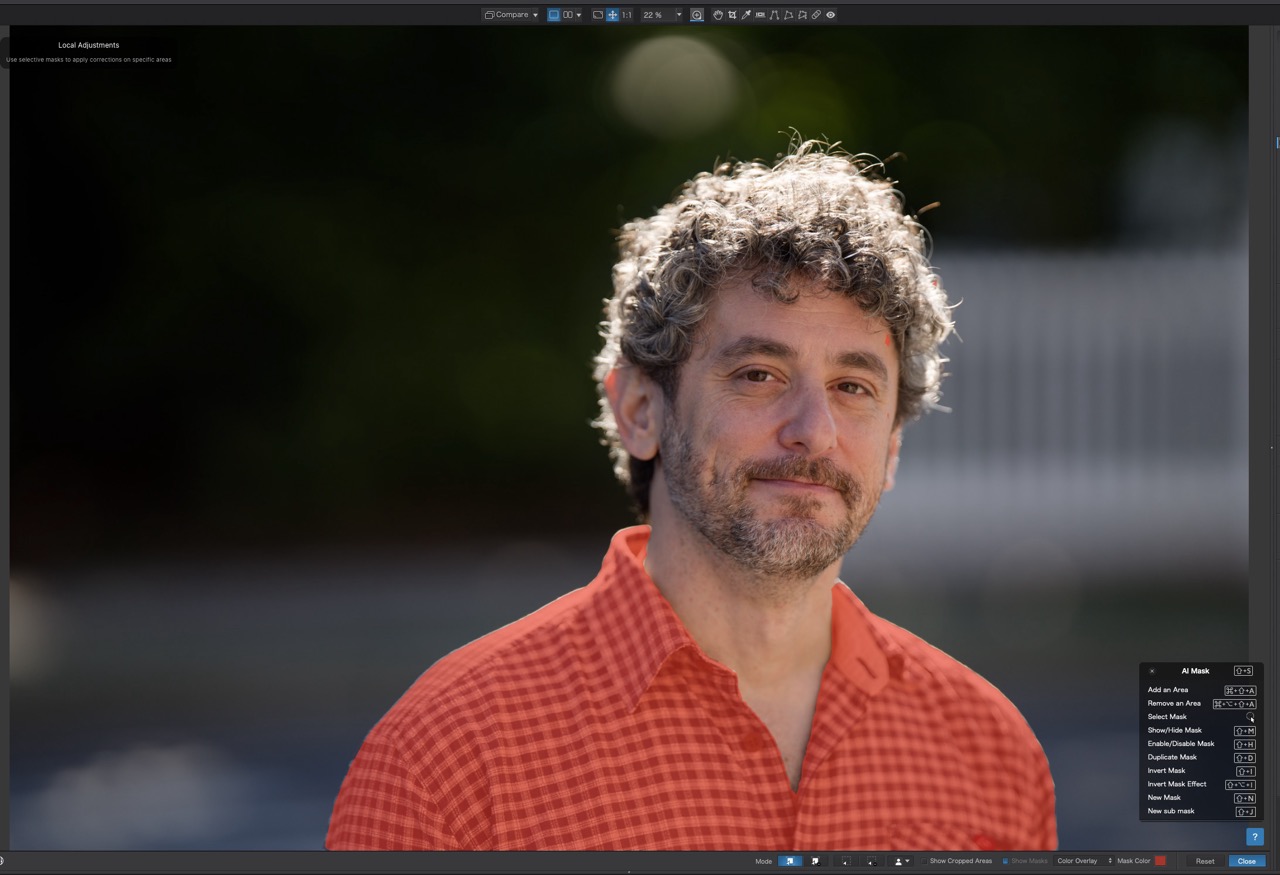
Simply hovering over the shirt results in a perfect mask of it.
And when you use an AI selection like “Hair” and make adjustments, those changes become contextually aware. That means you can copy that AI mask from a portrait and paste the mask onto any other portrait. PhotoLab automatically detects and adjusts the hair in the new image, regardless of the subject or pose.
The contextual masks are not limited to a single copy and paste operation or even a single photoshoot. You can paste these AI masks onto any number of images, and you can set presets to apply them to any image in your library, at any time.
In other words, adjust one image using AI-masking and apply it to any number of images, at any time. It’s a massive time saver.
PhotoLab also offers U Point technology, which predates AI masking but remains incredibly powerful for selective adjustments based on color and luminance values. The software includes proprietary tools like Smart Lighting for intelligent exposure correction and Clear View Plus for midtone contrast that doesn’t create harsh artifacts.
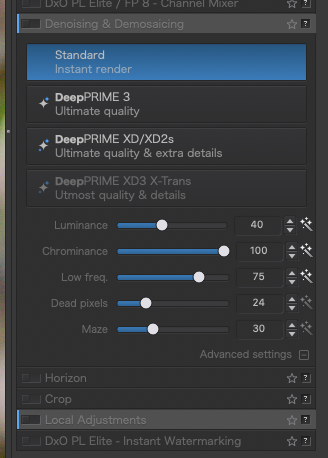
Local Adjustments for DeepPRIME Denoising
PhotoLab has long been known for its “DeepPRIME” noise reduction, which preserves detail better than competitors. Version 9 makes DeepPRIME even better by allowing a local application of noise reduction settings.
Why does this matter? Different parts of your image have different amounts of noise. Shadows always contain more noise than highlights, but applying uniform noise reduction can soften areas that don’t need it. Now you can target DeepPRIME exactly where it’s needed and leave the rest of your images untouched. Like with other DeepPRIME features, processing happens on your computer rather than sending data to the cloud.
While you can perform sharpening to specific areas in any photo editing program, only DxO PhotoLab 9 takes lens data (from its lab testing) into account when sharpening. So if you’re shooting, say, a landscape with a lens that DxO’s tests show is soft at the corners, PhotoLab will provide lens corrections and also stronger sharpening at the corners.
Support for iPhone Images
Apple’s iPhone can produce images with high resolution and incredible amounts of color control. PhotoLab 9 adds native support for Apple’s HEIC/HEIF and ProRAW formats. This matters more than it might seem. While iPhone computational photography can produce impressive JPEGs, working with RAW files gives you far more editing capabilities.
The software applies its DeepPRIME processing to iPhone images, cleaning up the noise that often plagues mobile sensors while maintaining edge sharpness.
Renaming Made Easier
The new batch renaming system uses metadata and EXIF information to generate filenames automatically. You can create naming presets based on camera model, date, lens used, or custom text. This streamlines organization, especially when processing large shoots where consistent file naming matters.
PhotoLab 9 also introduces improved file management. The new Favorites system provides quick access to frequently used folders or drives. Projects now support nesting, so you can organize related shoots hierarchically. Image stacking helps manage burst sequences or bracketed exposures.
DeepPRIME XD3 for Standard and Fujifilm X-Trans Sensors.
DeepPRIME XD3 is DxO’s name for the latest generation noise reduction, but up until PhotoLab 9.2, there has been no support for Fujifilm’s unique X-Trans sensors. X-Trans sensors use a non-standard color layout that many RAW converters struggle to process.
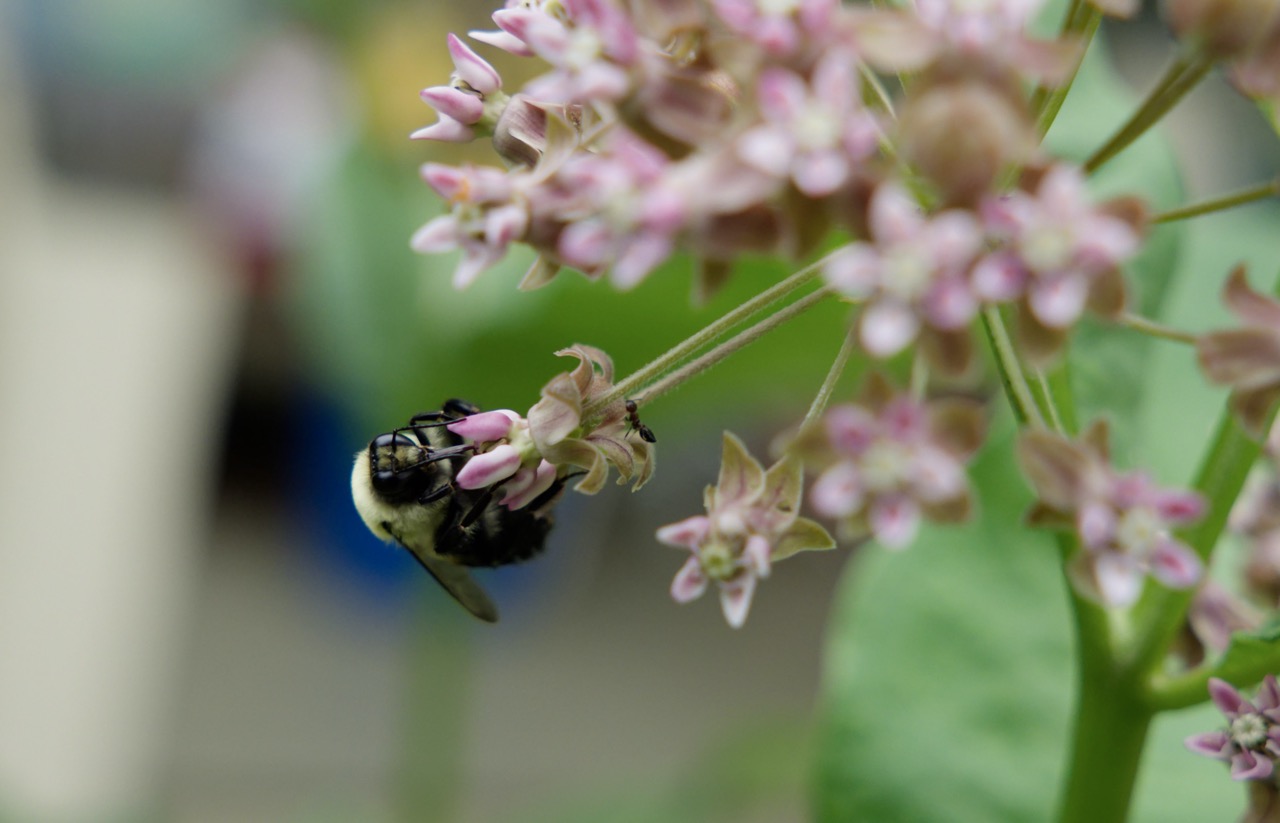
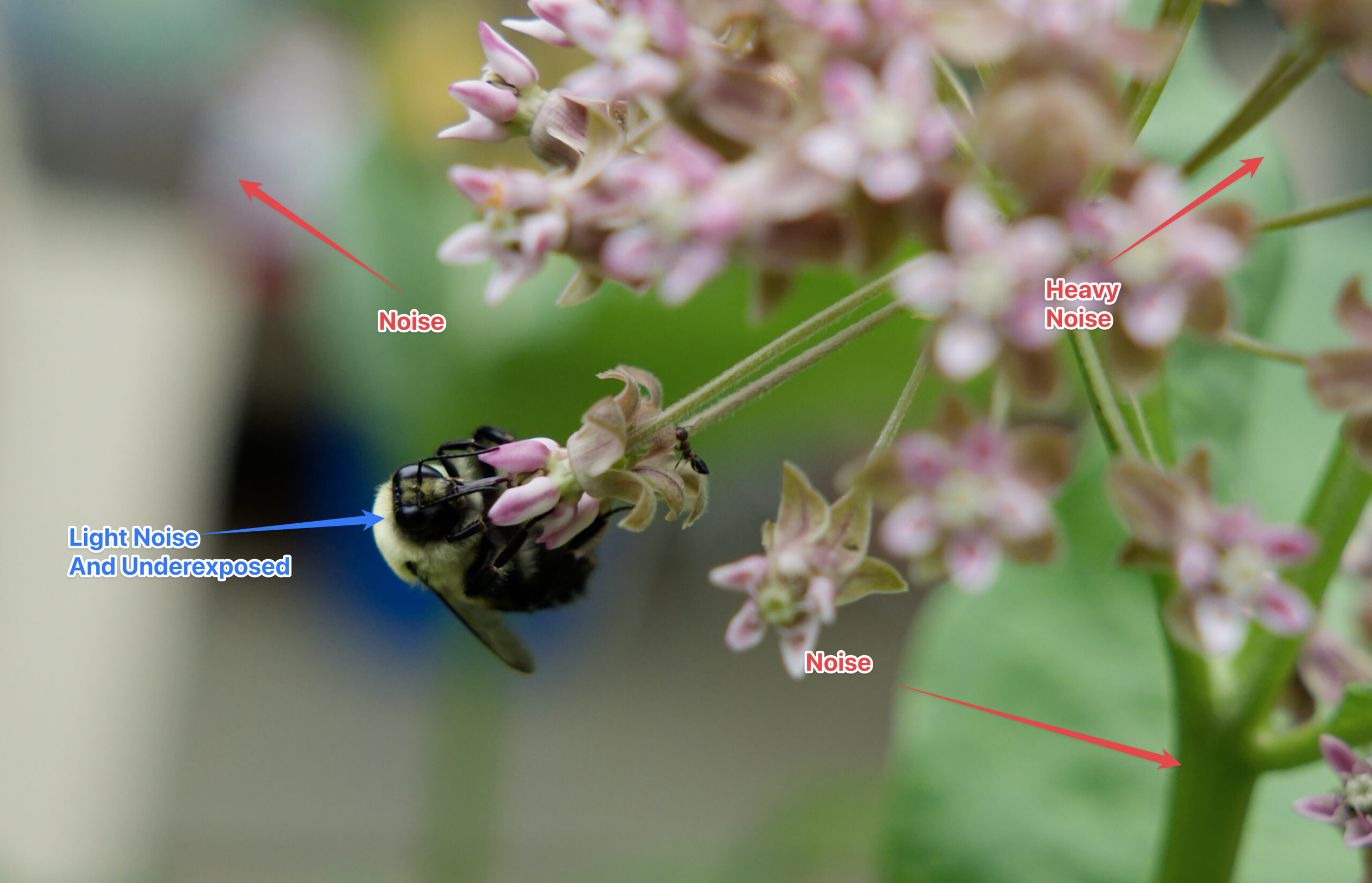
A bee and an ant on a flowering plant. This image has a lot of noise, before editing in PhotoLab 9. © David Schloss
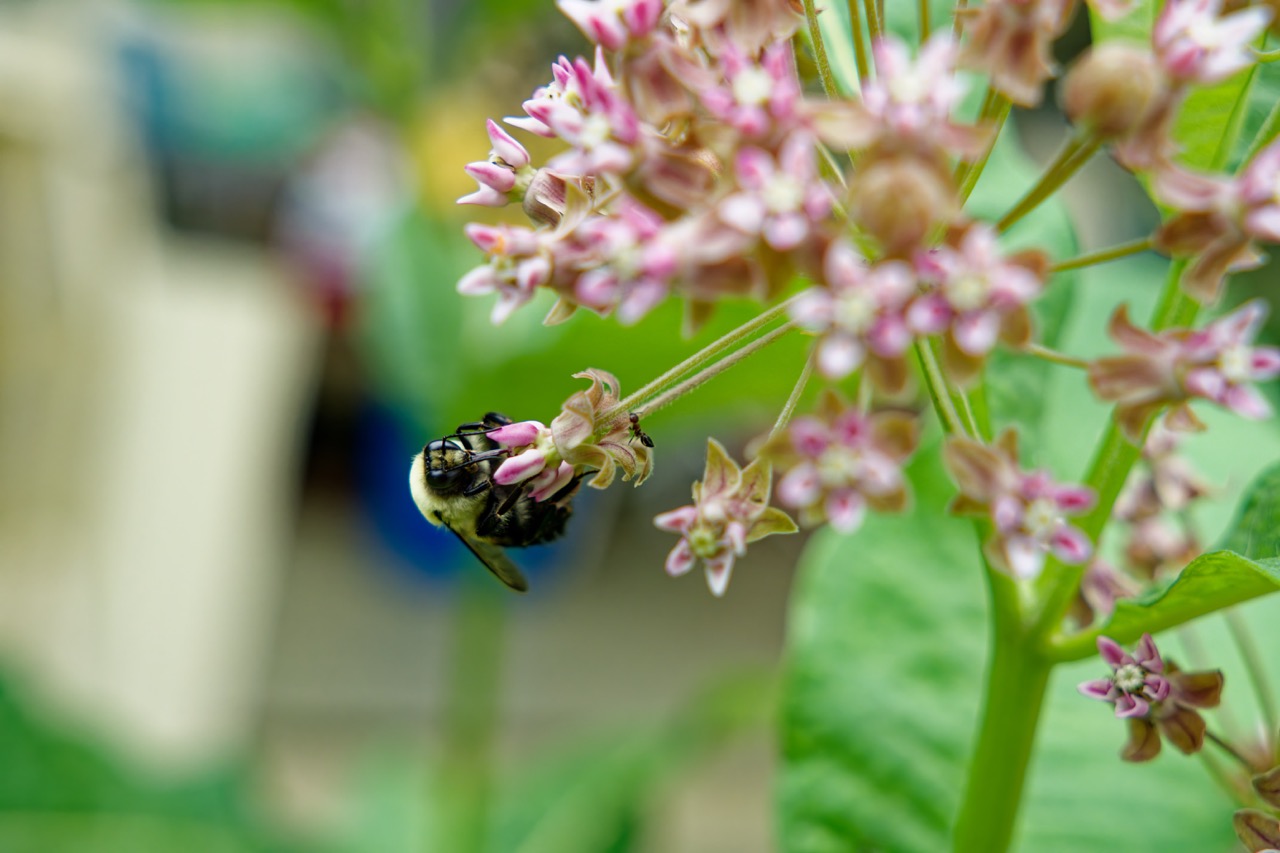
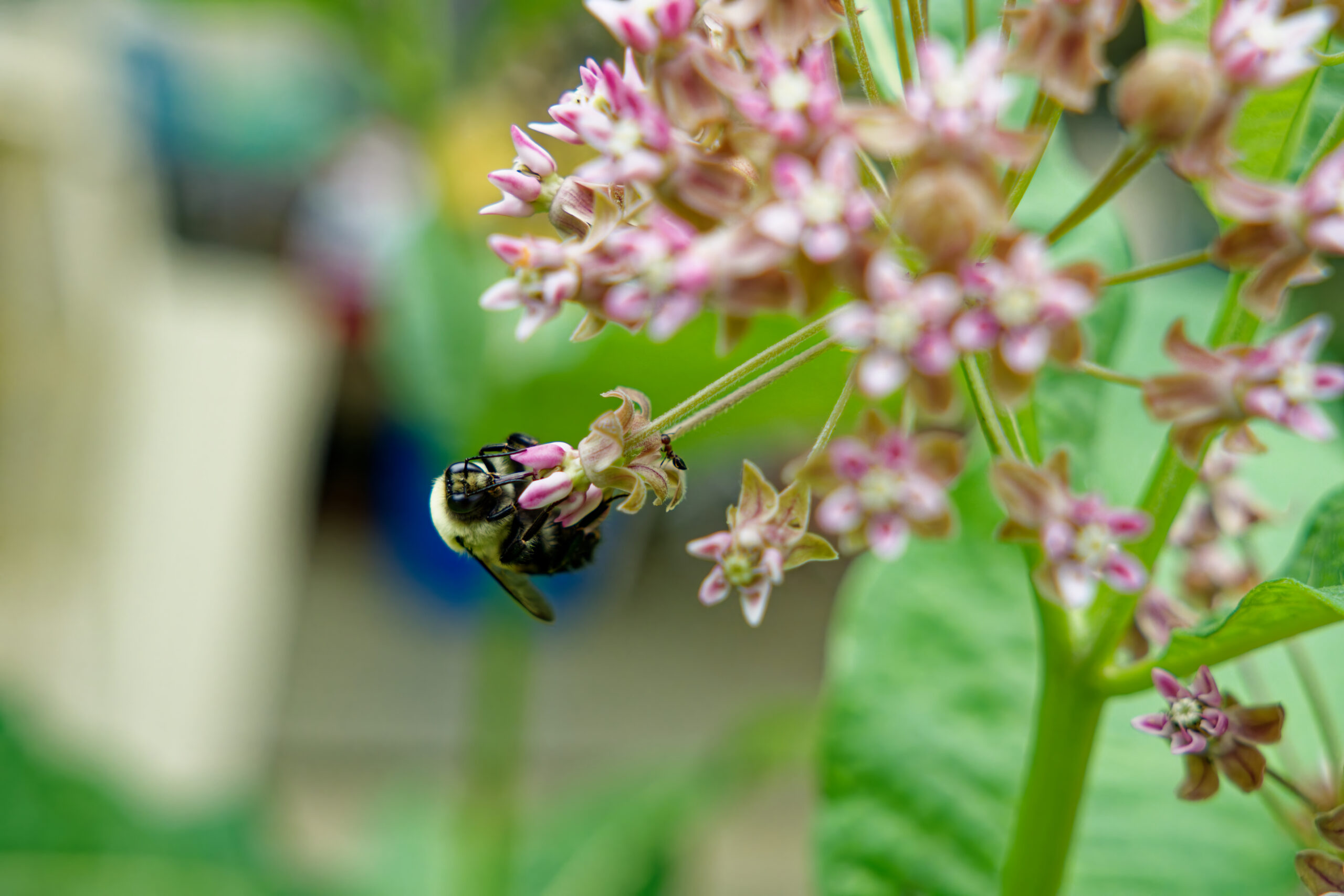
A bee and an ant on a flowering plant. This image has a lot of noise, after editing in PhotoLab 9. © David Schloss
The new Fujifilm-specific DeepPRIME XD3 is every bit as good as the DeepPRIME XD3 noise reduction for standard sensors.
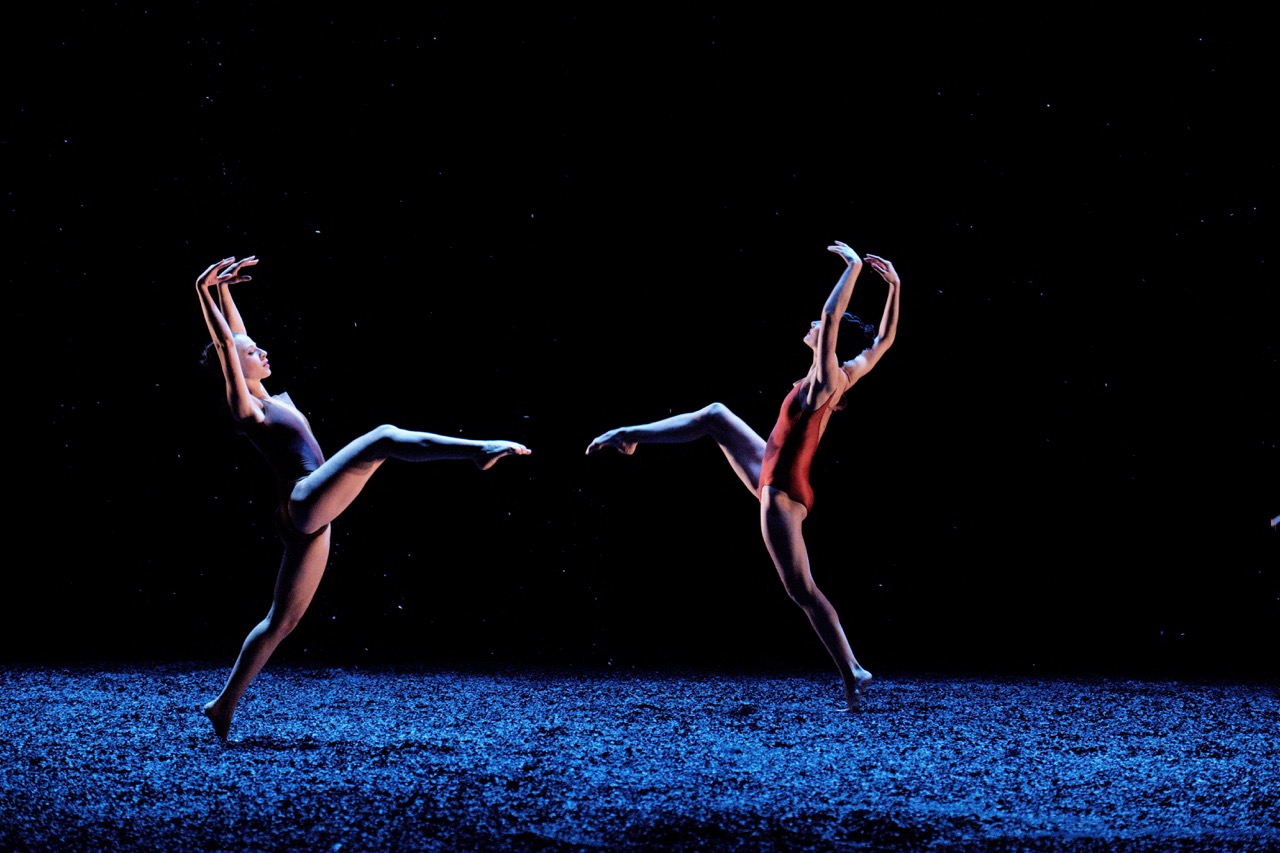
This original photo has noise both in the faces and bodies of the dancers and in the backgrounds © Agathe Poupeney
This original photo has noise both in the faces and bodies of the dancers and in the backgrounds © Agathe Poupeney
Like all DxO processing, it happens locally on your computer rather than relying on cloud servers.
DxO PhotoLab 9 Smart Lighting and Clear View Plus
PhotoLab includes several proprietary processing tools that make it stand apart from competitors.
Smart Lighting intelligently adjusts exposure and contrast, with separate modes for uniform scenes or portrait shots. Smart Lighting is perfect for scenes like birds in flight against a bright sky, where the details of the bird are washed out because of the brightness of the scene.
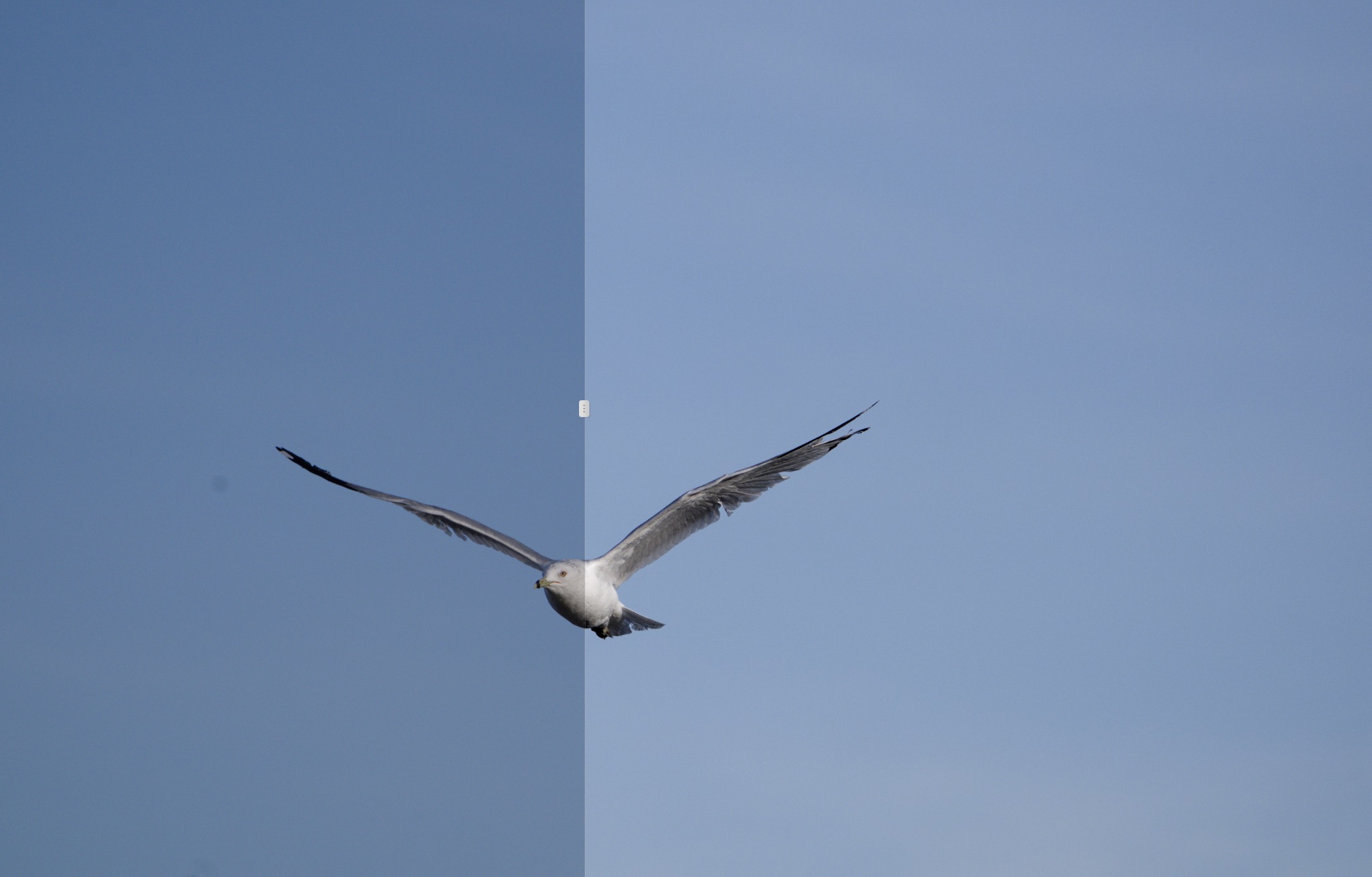
The image on the left is the original, and the right is after Smart Lighting adjustments.
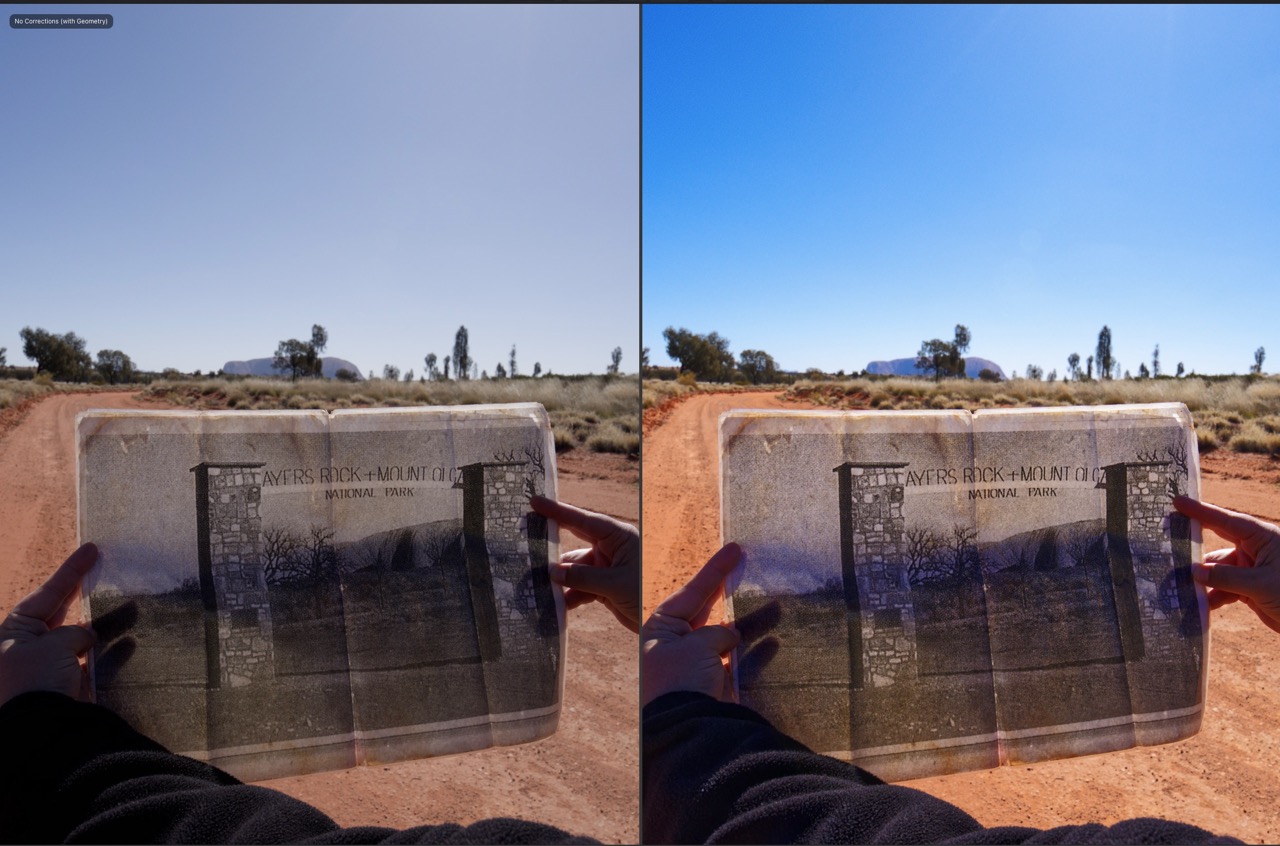
Clear View Plus helps remove the atmospheric haze that can make landscapes and other distant shots look slightly out of focus (and usually a bit blue cast). It adjusts the contrast and sharpness across an image to reduce the blurring effect of haze.
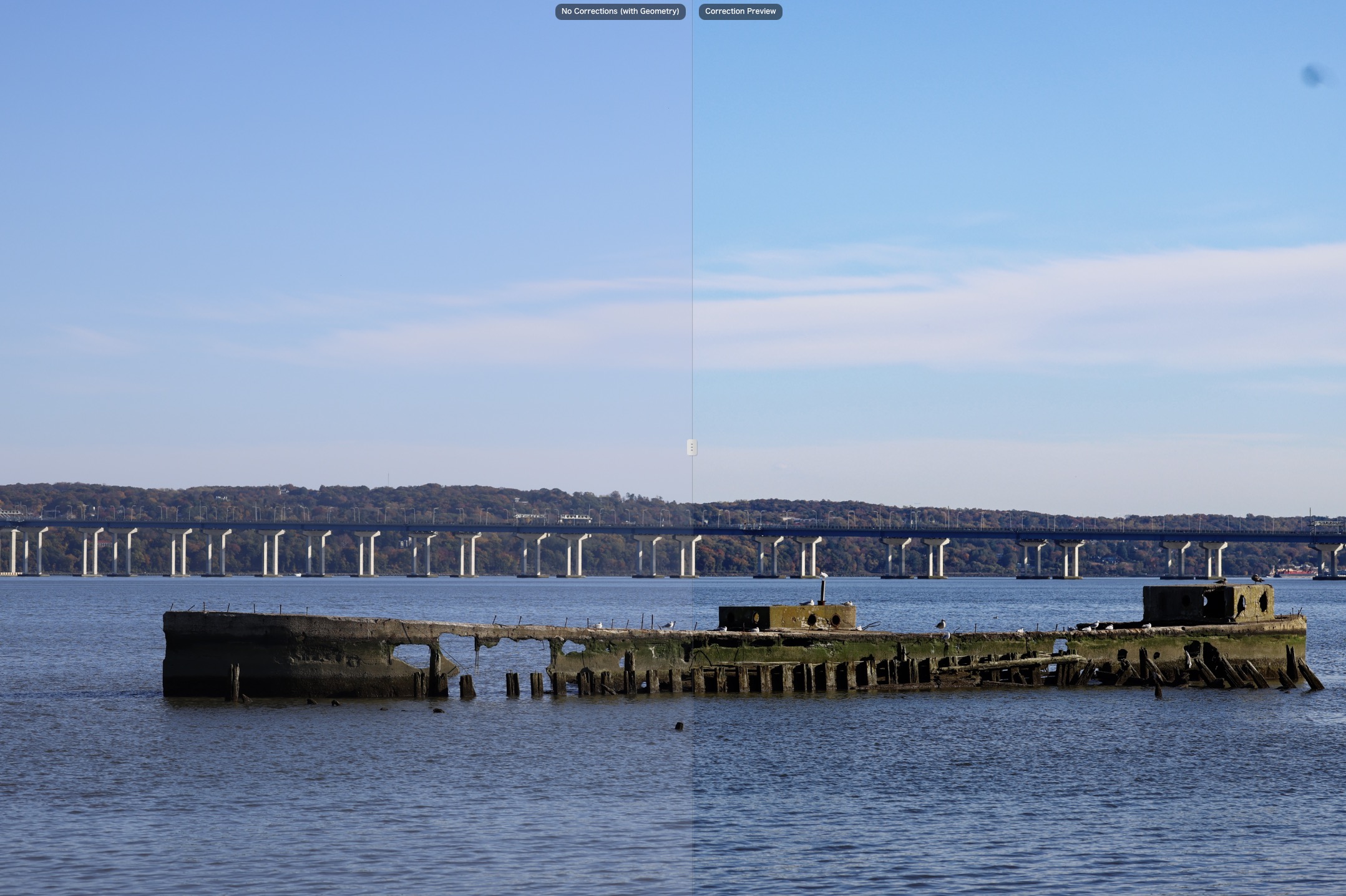
On the left we see the atmospheric haze of the background, fixed with one click on the right.
PhotoLab 9 also includes creative tools like customizable vignetting, where you can position the center point anywhere in the frame, rather than being locked to the image center. The blur tool works the same way, creating graduated blur effects from any focal point.
DxO PhotoLab 9.2 Workflow Improvements
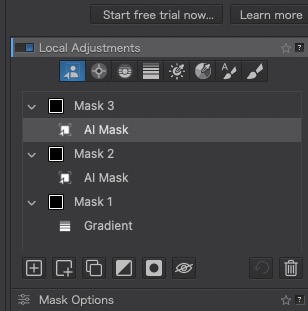
Version 9.2 added some user-requested features. Masks and submasks can now be reordered, making complex edits easier to manage. When you duplicate a mask, PhotoLab automatically adds sequential numbering, so you won’t end up with twelve layers all called “Mask.”
The new PhotoLibrary filters help you find specific images faster. You can instantly display only unedited images or all edited images. These filters work alongside the existing search system.
Windows users finally get persistent History that survives closing and reopening the software. This feature has been available on macOS, and its arrival on Windows means you can step back to any point in your editing workflow across multiple sessions.
Why You Should Buy DxO PhotoLab 9.
For photographers frustrated with subscription models and concerned about cloud-based AI training on their images, PhotoLab 9 is the perfect choice. The AI masking saves huge amounts of time, especially on large batches of photos. DeepPRIME noise reduction continues to set the standard for preserving detail while getting rid of noise. It’s also the only noise reduction tool that allows you to apply noise reduction just to specific parts of your photos.
The software is perfect for photographers who want the utmost in image quality, but don’t want to be tethered to their desk for long editing sessions. Wedding photographers processing hundreds of similar portraits or sports photographers with thousands of shots will appreciate the contextual masking. Landscape photographers gain sophisticated control over skies, foregrounds, and selective adjustments.
If your priority is getting the absolute best image quality from your RAW files while maintaining control over your data and wallet, PhotoLab 9 delivers. The combination of local processing, intelligent masking, and superior optical corrections makes this the perfect choice as your primary RAW editor.
Price and Availability of DxO PhotoLab 9
DxO PhotoLab 9 is available for $239.99 for a new license, with a holiday price of $203, a 15% discount.
Upgrades from PhotoLab 7 or 8 is $119.99. A 30-day trial is available.
Buy two or more titles and get 20% off + another 5% off by using the discount code “ImagingResource” at checkout.
Version 9.2 is available as a free update to owners of PhotoLab 9.
Key Specifications Table
| Category | Details |
| Supported File Formats | RAW files from 450+ camera models JPEG, TIFF HEIC/HEIF and Apple ProRAW DNG |
| DeepPRIME Processing | Standard DeepPRIME for all sensors DeepPRIME XD for extreme detail recovery DeepPRIME XD3 for Fujifilm X-Trans sensors |
| AI Masking Categories | Sky Subject Background People Animals Flowers Vehicles Hair Faces Clothes |
| Additional Tools | U Point technology (Control Points, Control Lines, Graduated Filters, Brush) Smart Lighting (Uniform and Spot-Weighted modes) Clear View Plus midtone contrast HSL selective color adjustments Tone curves (Standard and Luma) Perspective correction Film grain emulation Creative vignetting with movable center point |
| Workflow Features | Projects with nesting support Favorites for quick folder access Image stacking Batch renaming with metadata Preset system with contextual awareness Export to DxO plugins (Nik Collection, ViewPoint, FilmPack) |
| License Model | Perpetual license (one-time purchase) No subscription required Free updates within major versions |